Item logo image for Smartsheet Power Pack — by OmniFlow Digital

Smartsheet Power Pack — by OmniFlow Digital

Item media 2 (screenshot) for Smartsheet Power Pack — by OmniFlow Digital
Item video thumbnail
Item media 2 (screenshot) for Smartsheet Power Pack — by OmniFlow Digital
Item video thumbnail
Item media 2 (screenshot) for Smartsheet Power Pack — by OmniFlow Digital

Overview

Fixes Smartsheet's biggest UX paper cuts: column-width memory, column manager, dark mode, shortcuts, and saved view profiles.

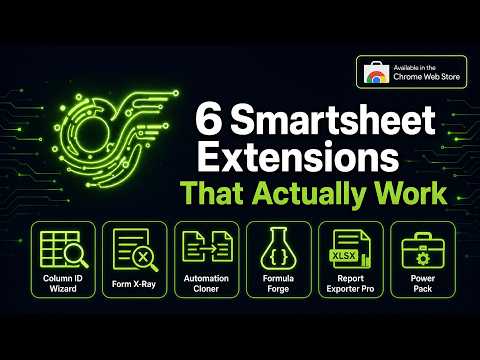
The Smartsheet Power Pack bundles six productivity micro-features into one lightweight Chrome extension — fixing the UX paper cuts that slow down Smartsheet power users every day. WHAT'S INCLUDED: 1. Column-Width Memory Smartsheet resets column widths every time you reload. Power Pack remembers your preferred widths per sheet and restores them automatically on every page load. 2. Selective Unhide Smartsheet's "Unhide All" reveals every hidden column at once — no way to pick and choose. Power Pack gives you a column manager panel so you can show or hide individual columns without touching the ones you want to keep hidden. 3. Dark Mode A true dark mode for the Smartsheet interface. Easy on the eyes during long sessions. Toggle on/off from the extension panel. 4. Keyboard Shortcuts Power-user keyboard shortcuts for the most common Smartsheet actions: save row, add row above/below, indent/outdent, and more. Fully configurable. 5. Saved View Profiles Save your current column visibility, widths, and sort state as a named profile. Switch between views in one click — no more manually reconfiguring your sheet layout. 6. Taskbar Pin-Lock Prevents the Smartsheet left-side taskbar from auto-collapsing when you move your mouse away. Keep it pinned open so your navigation stays visible. BUNDLE VALUE: One Power Pack license key also unlocks all 6 Smartsheet extensions in the OmniFlow suite — Column ID Wizard Pro, Form X-Ray, Formula Forge, Automation Cloner, and Report Exporter Pro. The Power Pack is the best-value entry point for the full OmniFlow Smartsheet toolkit. PRIVACY: All processing happens locally in your browser. No sheet data is ever sent to OmniFlow servers. Your Smartsheet Personal Access Token (PAT) is stored only in Chrome's local storage and is never transmitted to third parties. SUPPORT: support@omniflowdigital.ai | https://omniflowdigital.ai

Details

  • Version
    1.6.13
  • Updated
    July 30, 2026
  • Size
    108KiB
  • Languages
    English
  • Developer
    OmniFlow Digital
    7659 Mall Rd #1091 Florence, KY 41042 US
    Website
    Email
    mail@omniflowdigital.ai
  • Non-trader
    This developer has not identified itself as a trader. For consumers in the European Union, please note that consumer rights do not apply to contracts between you and this developer.

Privacy

Manage extensions and learn how they're being used in your organization

Smartsheet Power Pack — by OmniFlow Digital has disclosed the following information regarding the collection and usage of your data. More detailed information can be found in the developer's privacy policy.

Smartsheet Power Pack — by OmniFlow Digital handles the following:

Authentication information

This developer declares that your data is

  • Not being sold to third parties, outside of the approved use cases
  • Not being used or transferred for purposes that are unrelated to the item's core functionality
  • Not being used or transferred to determine creditworthiness or for lending purposes

Support

For help with questions, suggestions, or problems, visit the developer's support site

Related

Google Sheets™ Dark Mode

3.0

Activate Google Sheets Dark Mode for improved viewing. Enjoy sheets darkmode and comfort with the spreadsheets dark mode feature.

Tabone

4.9

Visual Tab Manager with AI Auto-Grouping & Sidebar. Pro Session backup, Kanban Boards, TODOs & Cloud Sync. Save up to 95% RAM.

Tiny Excel

0.0

Open and view Microsoft Excel .xlsx files locally with high fidelity.

Open Excel

5.0

AI Excel viewer & XLSX editor. Open XLSX/XLS files in browser, edit and save locally. AI tools for formulas and data cleaning.

Tab Hibernator

0.0

Intelligently manage tab hibernation, automatically save memory and CPU resources, improve browser performance

Glassy - New Tab

4.9

Where clarity meets productivity – Tab manager, Pomodoro, Quick links, Zen-mode, Notes and customization.

Side Panel Notes for Google Keep™

0.0

Native side panel for Google Keep™. View notes, checklists, and tasks side-by-side. Lightweight, private, and secure.

GlowBox for Smartsheet

5.0

Highlight Smartsheet cells, cards, and timeline bars with custom borders, glow effects, presets, and native view buttons.

Web to Office - Smart Document Converter

4.2

Turn web pages into Word, PDF, Markdown or Excel. Smart extraction, AI-friendly output. Save to Google Drive, OneDrive.

Table Column Copy

5.0

Elite Table Copying: Smart data extraction, productivity dashboard, and instant onboarding.

Nomoro – Focus & Productivity

5.0

Task management (Eisenhower Matrix), Pomodoro timer, website blocking, and smart tab memory management.

Tabbiy - Auto Group & Sidebar Tab Manager

4.7

The ultimate sidebar tab manager! Auto-group, customize titles, save, hibernate & switch tabs fast for a clutter-free browser.

Google Sheets™ Dark Mode

3.0

Activate Google Sheets Dark Mode for improved viewing. Enjoy sheets darkmode and comfort with the spreadsheets dark mode feature.

Tabone

4.9

Visual Tab Manager with AI Auto-Grouping & Sidebar. Pro Session backup, Kanban Boards, TODOs & Cloud Sync. Save up to 95% RAM.

Tiny Excel

0.0

Open and view Microsoft Excel .xlsx files locally with high fidelity.

Open Excel

5.0

AI Excel viewer & XLSX editor. Open XLSX/XLS files in browser, edit and save locally. AI tools for formulas and data cleaning.

Tab Hibernator

0.0

Intelligently manage tab hibernation, automatically save memory and CPU resources, improve browser performance

Glassy - New Tab

4.9

Where clarity meets productivity – Tab manager, Pomodoro, Quick links, Zen-mode, Notes and customization.

Side Panel Notes for Google Keep™

0.0

Native side panel for Google Keep™. View notes, checklists, and tasks side-by-side. Lightweight, private, and secure.

GlowBox for Smartsheet

5.0

Highlight Smartsheet cells, cards, and timeline bars with custom borders, glow effects, presets, and native view buttons.

Google apps