

Smart Typography
2 ratings
)
Overview
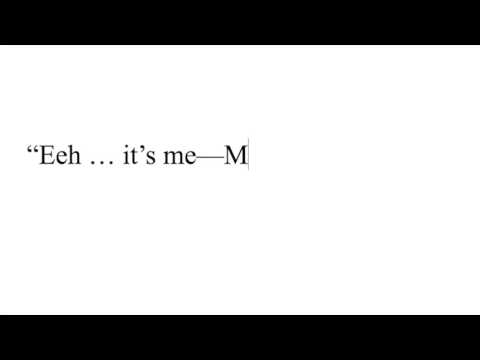
Replace typewriter quotes, apostrophes, ellipses and dashes with their typographically correct counterparts as you type.
Replace typewriter quotes, apostrophes, ellipses, dashes, and special symbols with their typographically correct counterparts as you type in text input or textarea fields. Smart Typography is the last extension you will need to write beautiful typographically correct texts. Configuration: - Quick Controls: Enable/disable and change language from toolbar. You can blacklist domains and URLs, or DOM element classes where you don't want the extension to run on. - Options Page: Configure default language, sentence break dash style, and enable/disable right-click menu (right-click extension icon → Options) - Right-Click Menu (optional): Format existing text in fields via context menu All settings saved per page and synced across devices. Features: - Smart Quotes: Language-specific curly quotes for over 50 languages - Advanced Apostrophe Handling: Proper apostrophes for contractions (don't, I'll, '90s) and possessives (James's) - Special Symbols: Copyright (©), trademark (™), and registered (®) from (c), (tm), (r), H20, CO2 to H₂O and CO₂, arrow symbols: -> to → and <- to ← - Ellipses (…) from three dots - Code-Aware: Text in backticks and code blocks ignored. By default, the extension does not run in Monaco-editor based inputs (which usually contains only code), and also not on Google search / Bing. - Foot (′) and inch (″) symbols for measurements (5'10" → 5′10″) Double-comma fix (,, → „) - Multiple spaces reduced to single space, unless those at the beginning of a line. Trailing whitespaces at line ends are trimmed. Dash Intelligence: Configurable sentence break dashes: choose em dash (—), en dash (–), or keep hyphen (-) for spaced hyphens (-) - to avoid looking like AI slop 🤖 - Em dashes (—) from three hyphens; does not replace them in lists (- text) - En dashes (–) from two hyphens, number ranges (1-5 → 1–5), or date ranges (Mon-Fri) Depending on which language you have set, the following chars will be replaced for language-specific replacements: ', ", >>, <<. ---- This extension is open-source on GitHub: https://github.com/kurtextrem/Smart-Typography. ---- Changelog: v7.1.4: - Add support for CSS selectors in ignore list This release disables the extension for the github search input field by default (as you might want to use the regular quotes to mark full text). By default, the extension is now disabled for: - [role=combobox] - github search input - [name=q] - bing / google search input - monaco - code editor --- v7.1.0: - performance improvements - `-->` is kept as-is (e.g. for markdown) - fix a bug where - was replaced with — in e.g. links - disables smart typography in search inputs (like on google search or bing)
5 out of 52 ratings
Details
- Version7.1.4
- UpdatedJanuary 12, 2026
- Offered byJacob "kurtextrem" Groß
- Size26.65KiB
- LanguagesEnglish
- Developer
Email
contact@kurtextrem.de - Non-traderThis developer has not identified itself as a trader. For consumers in the European Union, please note that consumer rights do not apply to contracts between you and this developer.
Privacy

This developer declares that your data is
- Not being sold to third parties, outside of the approved use cases
- Not being used or transferred for purposes that are unrelated to the item's core functionality
- Not being used or transferred to determine creditworthiness or for lending purposes
Support
For help with questions, suggestions, or problems, please open this page on your desktop browser