

Smart Swipe Bot for Tinder - Boost Matches
Ukadiriaji 2
)
Muhtasari
Boost your Tinder matches with the Smart Swipe Bot. This automatic swiper saves time and swipes faster on the dating app.
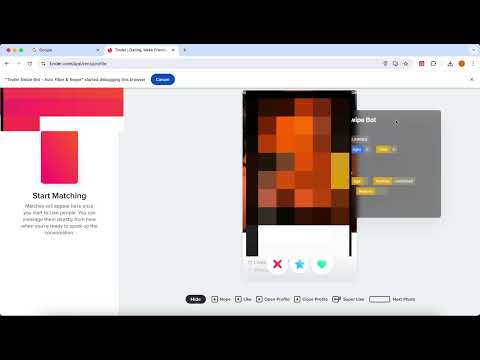
Tinder Swipe Bot is a powerful tool that simplifies swiping on Tinder with just one click. This tool enhances your Tinder experience by providing efficient filtering and automation, helping you find matches that better align with your interests. 💡 Features ✓ Age Range Filtering: Select your preferred age range, swiping only on users within that range (e.g., 25-30 years old). ✓ Minimum Photo Count Filtering: Set a minimum number of photos to ensure you only swipe on users with enough pictures, like at least three photos. ✓ Maximum Distance Filtering: Define a maximum distance range to swipe only on users nearby, making it easier to find local matches. ✓ Keyword Filtering: Filter profiles by keywords to swipe only on users who match your interests, such as looking for someone who loves “traveling.” ✓ Location Emulation: Emulate different locations to expand your swipe range. ✓ Random Interval Simulation: Mimic human swiping behavior by setting random interval times to avoid detection as a bot. ⚙️ Get Started 1. Log in to your Tinder account on the official website. 2. Set your preferences on the extension. 3. Click the ‘START’ button to begin swiping. 🔒 Data Privacy Your data privacy is paramount. All data processing occurs on your local machine and never transits through our servers, ensuring no one else has access to your data.
5 kati ya 5Ukadiriaji 2
Maelezo
- Toleo2.2.2
- Imesasishwa30 Septemba 2024
- Imetolewa naw6205739
- Ukubwa3.11MiB
- LughaLugha 55
- Wasanidi Programu
Barua pepe
w6205739@gmail.com - Asiye mchuuziMsanidi programu huyu hajajibainisha kuwa ni mchuuzi. Kwa watumiaji walioko nchi za Umoja wa Ulaya, tafadhali zingatia kwamba haki za mtumiaji hazitumiki katika mikataba kati yako na msanidi programu huyu.
Faragha
Msanidi programu huyu anabainisha kwamba data yako
- Haiuzwi kwa watoa huduma wengine, nje ya hali za matumizi zilizoidhinishwa
- Haitumiwi wala kuhamishwa kwa madhumuni ambayo hayahusiani na utendaji mkuu wa kipengee
- Haitumiwi wala kuhamishwa kwa nia ya kubaini kama unastahili kupokea mkopo au kwa madhumuni ya ukopeshaji
Usaidizi
Ili upate usaidizi ukiwa na maswali, mapendekezo au matatizo, tafadhali fungua ukurasa huu kwenye kivinjari cha kompyuta yako ya mezani