

Smart Job Fill
1 rating
)
Overview
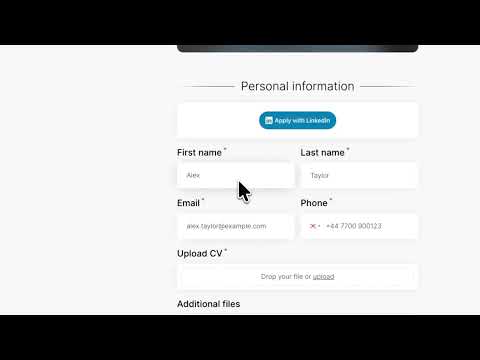
Autofill job applications, match unfamiliar fields and draft custom answers with AI, track applications, and save jobs.
Smart Job Fill helps job seekers complete and organize job applications with less repetitive typing. Create a reusable profile or import supported details from a text-based PDF résumé. When you click Autofill, Smart Job Fill identifies matching fields on the current application page and fills them using your saved information. Main features: Autofill common job application fields such as name, email, phone number, location and professional links Import supported profile details from a PDF résumé Teach Smart Job Fill how unfamiliar application questions match your profile categories Track autofilled and submitted applications with job title, company, URL and date Detect likely application submission confirmations or ask you to confirm Save interesting jobs for later Update application status manually Privacy and control: Your profile, learned field mappings, application history and saved jobs are stored locally in Chrome Résumé extraction happens locally on your device Smart Job Fill only accesses the current page after you choose an action It does not automatically submit job applications No account is required Always review completed fields before submitting an application. Optional AI assistance With the user’s permission, Smart Job Fill can use AI to match unfamiliar form questions to saved profile categories. Users can also request a draft for supported long-answer questions with Fill with AI. AI-generated drafts are never submitted automatically and should always be reviewed. For category matching, unmatched field labels and category names/examples are sent to the Smart Job Fill API and DeepSeek. For a requested answer draft, the selected question, detected job title and company, and user-provided AI context are sent. Other saved profile answers, résumé files and Job Tracker history are not sent.
5 out of 51 rating
Details
- Version0.10.3
- UpdatedSeptember 24, 2026
- Size545KiB
- LanguagesEnglish
- Developer
Email
yusufkaleemkhan2@gmail.com - Non-traderThis developer has not identified itself as a trader. For consumers in the European Union, please note that consumer rights do not apply to contracts between you and this developer.
Privacy

Smart Job Fill has disclosed the following information regarding the collection and usage of your data. More detailed information can be found in the developer's privacy policy.
Smart Job Fill handles the following:
This developer declares that your data is
- Not being sold to third parties, outside of the approved use cases
- Not being used or transferred for purposes that are unrelated to the item's core functionality
- Not being used or transferred to determine creditworthiness or for lending purposes