


Overview
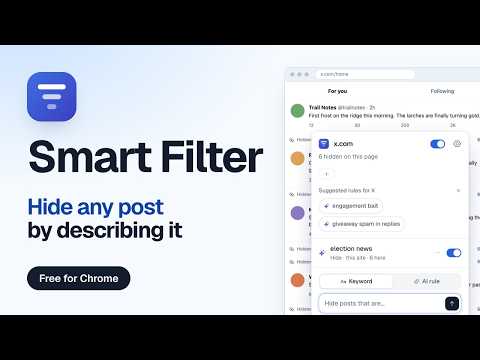
Hide, blur or dim posts, videos and comments on Reddit, YouTube, X and any site. Keyword rules are free, AI rules read meaning.
🧹 Tell any page what to hide. Smart Filter is an AI content filter and keyword blocker for Chrome. It lets you hide posts, videos, comments and search results you do not want to see, or blur or dim them instead. Type a keyword, or describe what you mean in plain words, like "clickbait" or "posts about the election". It works out of the box on popular sites like Reddit, YouTube and X, and finds the posts, products or comments on other sites by itself. No account and no API key. 🔍 KEYWORDS CATCH WORDS. AI RULES CATCH MEANING. A keyword blocker needs every phrasing in advance: block "outrage" and "people are furious" still slips through. An AI rule reads each item and decides whether it matches what you described. Use both: keyword rules are free and run on your device, AI rules handle the rest. Some ideas: - Hide rage bait, low-effort reposts and spoilers in your Reddit feed - Dim clickbait video titles on YouTube - Hide engagement bait and giveaway spam in social feeds and replies - Hide sponsored results and reviews that sound fake when you shop - Hide job ads that want 10+ years of experience or pay commission only - Hide insults and pile-ons in comment sections 🚀 HOW IT WORKS 1. Install and open the extension on any page. 2. Type a rule: a keyword list like crypto*, nft or an AI rule like "rage bait". 3. Pick what happens to matches: hide, blur, dim, or show only matches. Every filtered item says why it was filtered, and one click shows it anyway. Items are checked before they paint, also while you scroll without end. ✨ FEATURES - Keyword rules with * and ? wildcards, unlimited and free - AI rules written in plain language, with a sensitivity setting - Hide, blur, dim, or "show only" mode - Rules for one site or for all sites - Filter sets: group rules for a purpose (calm news, no spoilers, work hours), switch a set on or off per site, export and import them as a file - Works out of the box on popular social, news, shopping and job sites - Other sites: Smart Filter finds the posts, products or comments itself. If it guesses wrong, point at one item and it learns the rest - Per-site pause, and a switch to turn a single rule off on the current site - No flash of unfiltered content; infinite scroll works - Free to start: unlimited keyword rules and up to 10,000 free credits for AI rules. One credit checks one post against one AI rule. Videos, listings and comments count like posts, and a post checked against 3 AI rules costs 3 credits. Up to 10 AI rules run on one site, and items already checked are remembered, so scrolling back up costs nothing. More credits: https://smartfilter.net/#pricing 🔒 PRIVACY Keyword rules run entirely in your browser. AI rules are off until you agree. When on, your rule and the text of each checked item (up to 400 characters) are sent for classification, never the page address or what you type. AI rules never run on email, chat and banking sites. We do not sell data and do not show ads. Details: https://smartfilter.net/privacy 👀 AI is not perfect. Every hidden item stays one click away.
0 out of 5No ratings
Details
- Version0.4.2
- UpdatedOctober 15, 2026
- Size232KiB
- LanguagesEnglish
- DeveloperAlexander Masaru KagoshimaWebsite
c/o IP-Management #10049 Ludwig-Erhard-Straße 18 Hamburg 20459 DEEmail
info@trello-attachment-downloader.com - Non-traderThis developer has not identified itself as a trader. For consumers in the European Union, please note that consumer rights do not apply to contracts between you and this developer.
Privacy

Smart Filter: Filter any page with AI has disclosed the following information regarding the collection and usage of your data. More detailed information can be found in the developer's privacy policy.
Smart Filter: Filter any page with AI handles the following:
This developer declares that your data is
- Not being sold to third parties, outside of the approved use cases
- Not being used or transferred for purposes that are unrelated to the item's core functionality
- Not being used or transferred to determine creditworthiness or for lending purposes
Support
For help with questions, suggestions, or problems, visit the developer's support site