

Smart Bookmark Manager - Linqlist
3 个评分
)
概述
Smart bookmark manager to end clutter. Visually organize, sync, find fast & share collections easily across all devices.
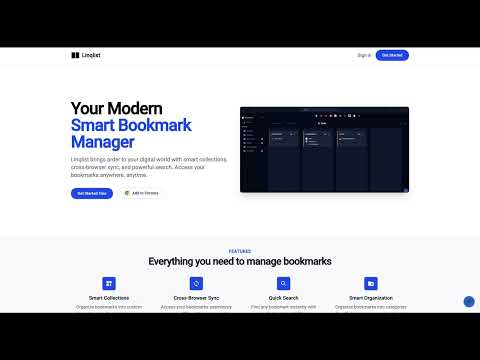
Your Powerful Chrome Extension for Smart Bookmarking with Seamless Web Access Tired of bookmark chaos in Chrome? Meet Linqlist, the smart bookmark manager that revolutionizes how you organize, access, and share your web links. While Linqlist enhances your bookmarking directly within Chrome, you can also enjoy a consistent experience and access most of its features and the same familiar look and feel across different browsers by logging into the Linqlist website at linq-list.com. With Linqlist, you unlock powerful features including: ★ Intuitive Organization within Chrome's Visual Environment: Transform your Chrome bookmarks into visual 'Smart Collections' and custom boards. Utilize the easy drag-and-drop interface to categorize links for projects, research, hobbies, and more, all within your Chrome browser. ★ Access Your Organized Bookmarks Across Browsers via linq-list.com: Seamlessly access and manage the bookmarks you've organized in Chrome from any other browser by logging into your account on linq-list.com. Enjoy a consistent look and feel and access to most of the features you love in the Chrome extension. ★ Smart Search – Find Links Quickly in Chrome and Online: Instantly locate saved links within your Chrome collections using our fast search. This powerful search functionality is also available when you access your bookmarks through the linq-list.com website, ensuring you can always find what you need, no matter the browser. ★ Effortless Sharing and Collaboration from Chrome & the Web: * Share Boards Easily: Share specific boards created in Chrome with others via a simple link, whether they are Linqlist users or not. This sharing capability extends to accessing and sharing via the linq-list.com website. * Collaborate on Collections: Invite others to view or edit your bookmark collections, fostering seamless collaboration on projects and shared interests, both within Chrome and through the linq-list.com web interface. Key Features Accessible in Chrome & on linq-list.com: ✔ Visual Organization: Enjoy the same intuitive visual layout for your bookmark collections whether you're in the Chrome extension or on the website. ✔ Powerful Search: Find your bookmarks quickly and efficiently across both platforms. ✔ Sharing & Collaboration: Easily share and collaborate on your organized links. ✔ Effortless Importing: Quickly import your existing bookmarks to get started. These will then be accessible on the web as well in chrome extension. ✔ Public Board Discovery: Explore and follow interesting public collections created by other Linqlist users. ✔ User-Friendly Interface: Experience a consistent and easy-to-navigate design on both the Chrome extension and the web platform. Linqlist provides you with the best of both worlds: the convenience of a dedicated Chrome extension for seamless bookmarking within your primary browser and the flexibility of web access to manage and utilize your organized links from any device and browser. Ready to revolutionize your bookmarking? Add the Linqlist Chrome extension today and access your organized world on linq-list.com!
3.7 星(5 星制)3 个评分
详情
- 版本1.2.0
- 上次更新日期2026年3月30日
- 提供方admin
- 大小950KiB
- 语言English
- 开发者
邮箱
admin@kodetra.com - 非交易者该开发者尚未将自己标识为交易者。欧盟地区消费者须知:消费者权利可能不适用于您与该开发者达成的合约。
隐私权

该开发者已声明,您的数据:
- 不会因未获批准的用途出售给第三方
- 不会为实现与产品核心功能无关的目的而使用或转移
- 不会为确定信用度或放贷目的而使用或转移
支持
若有任何疑问、建议或问题,请访问开发者的支持网站