

Smart Bookmark Capture

Overview
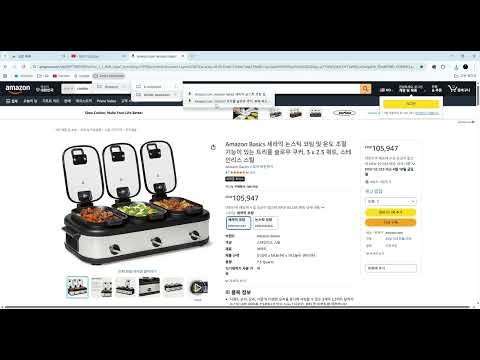
Capture any webpage and let AI automatically categorize it as a bookmark with screenshot.
Smart Bookmark is an AI-powered Chrome extension that captures your current webpage and automatically organizes it into categorized bookmarks — no manual sorting needed. HOW IT WORKS 1. Press Ctrl+Shift+S or click the extension icon 2. AI analyzes the page and assigns a category (e.g. Shopping > Clothing, Tech > Frontend) 3. Bookmark and screenshot are saved automatically FEATURES - One-click or shortcut capture of any webpage - AI auto-categorization powered by Google Gemini - Saves bookmarks in organized folder structure - Screenshots saved with date and page summary name - View all saved bookmarks sorted by category - Works instantly — no API key setup required CATEGORIES Shopping, Tech, Development, News, Food, Travel, Finance, Education, Entertainment, and more — with specific sub-categories for precise organization. PRIVACY Your screenshots are processed securely through a proxy server. No data is stored on external servers beyond the API call. Single purpose This extension captures the current webpage screenshot and automatically categorizes it as a bookmark using AI, helping users organize their bookmarks without manual sorting. activeTab Required to capture a screenshot of the currently active tab when the user triggers the capture action via button click or keyboard shortcut. bookmarks Required to create and organize bookmark folders automatically based on AI-generated categories (e.g. Shopping > Clothing, Tech > Frontend). downloads Required to save the captured screenshot to the user's local storage in an organized folder structure (SmartBookmark/Category/Subcategory/date_name.jpg). storage Required to store user settings (proxy server URL, API key, folder name) and bookmark history locally on the user's device. tabs Required to access the current tab's URL and title for AI categorization, and to capture the visible tab screenshot. notifications Required to notify the user when a bookmark has been successfully saved or if an error occurred during the capture process, especially when using the keyboard shortcut with no popup visible. scripting Required to inject scripts into the active tab for capturing page content when triggered by the keyboard shortcut command. host permissions (<all_urls>) Required to send the captured screenshot to the AI classification proxy server (Cloudflare Workers) for automatic categorization. The extension works on any webpage the user chooses to bookmark. Remote code No remote code is used. All extension logic runs locally. The only external communication is an API call to a proxy server for AI image classification.
0 out of 5No ratings
Details
- Version1.0.0
- UpdatedApril 12, 2026
- Size30.35KiB
- LanguagesEnglish (United States)
- Developer
Email
alscksgh@gmail.com - Non-traderThis developer has not identified itself as a trader. For consumers in the European Union, please note that consumer rights do not apply to contracts between you and this developer.
Privacy

Smart Bookmark Capture has disclosed the following information regarding the collection and usage of your data. More detailed information can be found in the developer's privacy policy.
Smart Bookmark Capture handles the following:
This developer declares that your data is
- Not being sold to third parties, outside of the approved use cases
- Not being used or transferred for purposes that are unrelated to the item's core functionality
- Not being used or transferred to determine creditworthiness or for lending purposes