

Slugy — Link Shortener

Overview
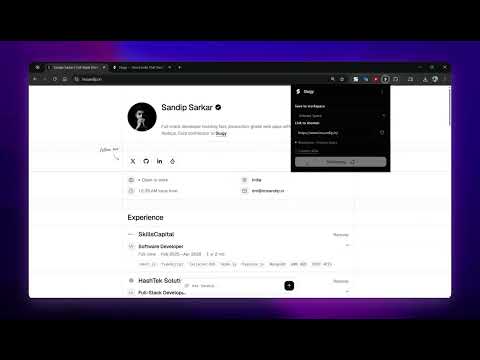
Shorten the page you are on and copy a branded short link in one click.
Shorten the page you're on without opening the dashboard. Slugy's Chrome extension creates a branded short link for the current tab in one click and copies it straight to your clipboard. HOW IT WORKS • Click the Slugy icon or press Ctrl+Shift+L (Cmd+Shift+L on Mac) on any page • Or paste any URL manually — useful on pages where the extension can't read the tab • Hit Shorten & copy. Done. SAVE TO THE RIGHT WORKSPACE • Pick any workspace you own or are a member of from the dropdown • The extension remembers your choice between sessions • Each link respects that workspace's plan limits and quotas CUSTOM ALIASES • Add a branded slug (e.g. slugy.co/launch) before shortening • Same validation as the dashboard — 3+ characters, duplicates rejected WHAT YOU NEED • A free Slugy account with at least one workspace • Connect once through the dashboard — the extension never sees your password. Signing out or deleting the "Slugy Browser Extension" key under Settings → API keys revokes access instantly. PRIVACY • Reads the current tab URL only when you invoke it, to prefill the link field • Sends only the URL and alias you submit to the Slugy API over HTTPS • Stores session tokens and account details locally in extension storage • No browsing-history collection, no page-content reading, no clipboard reading — it only writes the short link you just created • Full policy: https://slugy.co/privacy
0 out of 5No ratings
Details
- Version1.0.0
- UpdatedOctober 11, 2026
- Size17.73KiB
- LanguagesEnglish
- Developer
Email
sarkarsandip97740@gmail.com - Non-traderThis developer has not identified itself as a trader. For consumers in the European Union, please note that consumer rights do not apply to contracts between you and this developer.
Privacy

Slugy — Link Shortener has disclosed the following information regarding the collection and usage of your data. More detailed information can be found in the developer's privacy policy.
Slugy — Link Shortener handles the following:
This developer declares that your data is
- Not being sold to third parties, outside of the approved use cases
- Not being used or transferred for purposes that are unrelated to the item's core functionality
- Not being used or transferred to determine creditworthiness or for lending purposes
Support
For help with questions, suggestions, or problems, visit the developer's support site