Item logo image for Slash-Dash

Slash-Dash

https://slash-dash.vercel.app/
Item media 2 (screenshot) for Slash-Dash
Item video thumbnail
Item media 2 (screenshot) for Slash-Dash
Item video thumbnail
Item media 2 (screenshot) for Slash-Dash

Overview

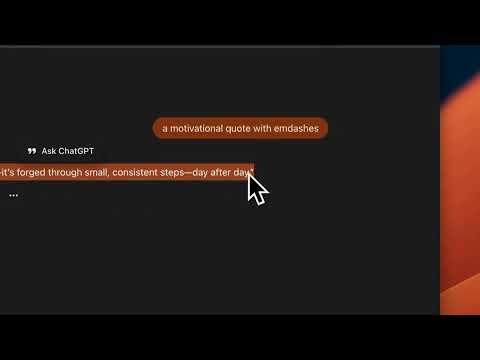
Automatically processes copied text to replace em-dashes and en-dashes with contextually appropriate punctuation

Slash-Dash automatically processes copied text to replace em-dashes (—) and en-dashes (–) with contextually appropriate punctuation like commas, periods, or colons. Key Features: Automatic text processing: works in the background when you copy text Smart punctuation replacement: uses natural language processing to choose the right punctuation Customizable options: choose to process em-dashes only, en-dashes only, or both Works everywhere: processes text from any website Easy to control: enable or disable with a simple toggle How It Works: When you copy text containing em-dashes or en-dashes, the extension intercepts the copy event, processes the text using advanced NLP algorithms, and replaces your clipboard content with the intelligently formatted version. Perfect For: Writers and editors who need clean, properly formatted text Researchers copying text from various sources Anyone who wants to automatically clean up punctuation in copied text Simply install and start copying, the extension handles the rest automatically. You can customize which dash types to process and toggle the extension on or off at any time through the popup interface.

Details

  • Version
    1.1.0
  • Updated
    November 11, 2025
  • Size
    245KiB
  • Languages
    English
  • Developer
    Website
    Email
    sumit.18.paul@gmail.com
  • Non-trader
    This developer has not identified itself as a trader. For consumers in the European Union, please note that consumer rights do not apply to contracts between you and this developer.

Privacy

Slash-Dash has disclosed the following information regarding the collection and usage of your data. More detailed information can be found in the developer's privacy policy.

Slash-Dash handles the following:

User activity
Website content

This developer declares that your data is

  • Not being sold to third parties, outside of the approved use cases
  • Not being used or transferred for purposes that are unrelated to the item's core functionality
  • Not being used or transferred to determine creditworthiness or for lending purposes

Related

LibreOffice writer online

4.5

Create and edit documents with a word processing application for rich text formatting

Copy & Paste as Text - Neatly formatted

5.0

Copy and paste any content in a clean, well-structured plain text format.

Auto Copy

4.7

Automatically copy selected text to the clipboard.

Auto Copy

3.6

Automatically copy selected text to the clipboard. Has many configurable options for controlling the behavior.

TAIP - Use AI with a keyboard shortcut to write better

5.0

Use AI with a keyboard shortcut to rephrase, translate, reply, summarize, etc. and even do custom transformations to your text.

EasyType Switcher — Автоисправление раскладки текста

5.0

Автоматическое исправление раскладки текста при наборе с большим выбором функций

Typster - Human Auto Typer for Google Docs

5.0

Automatically type text in Google Docs with natural human-like patterns

Copy & Paste Without Formatting

1.0

Always copy as plain text. Remove all formatting when copying text on the web.

Surround it!

4.0

Easily enclose text with quotation marks, brackets or any characters of your choice.

Auto Typer

3.8

Google Docs auto typer with ChatGPT full sentence rewrites. Works in the background so you can switch tabs freely.

Clipboard Auto Copy

5.0

Automatically copy stored text with a customizable delay.

Speak! - Speech-To-Text Smart Dictation

4.1

Dictate with ease anywhere on the web using auto-editing by resaying, automatic punctuation and other conveniences.

LibreOffice writer online

4.5

Create and edit documents with a word processing application for rich text formatting

Copy & Paste as Text - Neatly formatted

5.0

Copy and paste any content in a clean, well-structured plain text format.

Auto Copy

4.7

Automatically copy selected text to the clipboard.

Auto Copy

3.6

Automatically copy selected text to the clipboard. Has many configurable options for controlling the behavior.

TAIP - Use AI with a keyboard shortcut to write better

5.0

Use AI with a keyboard shortcut to rephrase, translate, reply, summarize, etc. and even do custom transformations to your text.

EasyType Switcher — Автоисправление раскладки текста

5.0

Автоматическое исправление раскладки текста при наборе с большим выбором функций

Typster - Human Auto Typer for Google Docs

5.0

Automatically type text in Google Docs with natural human-like patterns

Copy & Paste Without Formatting

1.0

Always copy as plain text. Remove all formatting when copying text on the web.

Google apps