

Slack Green - FREE Background Mouse Jiggler for Automatic Active Status

Overview
Ever jiggled your mouse just to stay green on Slack? Set it up in 2 minutes and forget about it. Stay green all day, every day.
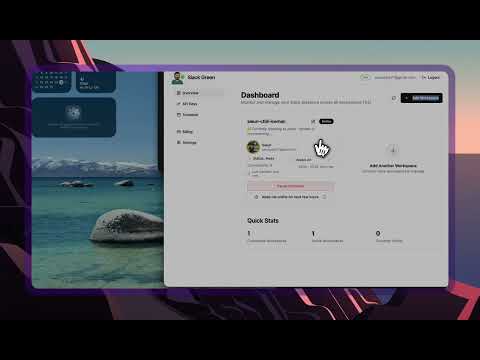
Ever jiggled your mouse just to stay "green" on slack? We're here for you. Join 500+ remote workers who never worry about their Slack status. Slack Green runs in the cloud to keep your status active during your working hours. You can set it up in 2 minutes and forget about it. Stay green all day, every day. - Our cloud servers keep you green. Close your laptop and go - we run 24/7. - Set your schedule: Choose when you want to stay active. Work hours only, 24/7, or custom times. Will I get caught? Slack Green works exactly like you using Slack in your browser. There's no way to tell the difference. - Uses the same API calls as your browser - indistinguishable from normal usage - No downloads, extensions, or software on your device - nothing to detect - No IT approval needed - runs entirely in the cloud using browser tokens !! IMPORTANT: The Chrome extension is a tool that helps you connect your Slack workspace with our service slack.green . The extension will instruct you on how to connect. You can remove the extension after. for more info, visit our [website](www.slack.com) ### How does Slack status actually work? According to [Slack's help guide](https://slack.com/help/articles/201864558-Set-your-Slack-status-and-availability), your status automatically turns to away after 10 minutes of inactivity. Your coworkers can also see whether you're set to active or away. What about that button where you can manually set yourself to "active"? It doesn't work for this. It won't stop the 10-minute countdown. As soon as you stop clicking or typing, the clock starts ticking again. The frustration is real You're working hard, maybe reading a long document or just thinking something through. You look back at Slack, and you see it. The little green dot next to your name is gone. It's grey. You're "away." You get that sinking feeling. "Ugh, not again." Does it look like I'm not at my desk? This whole "green dot" thing can be a real headache. You shouldn't have to micromanage your Slack presence just to focus on your work. Everybody should be able to have a guilt-free cup of coffee. ### How to keep it active People suggest apps like *Amphetamine* or *Caffeine*, or playing a video. They keep the computer on, but this is completely wrong. **It doesn't help with the status**. You can't set the status to stay active without constantly moving your mouse. A physical USB mouse jiggler may work. Most solutions didn't work For software-based solutions, honestly, most solutions either don't work, are annoying to manage, or are ridiculously expensive: • presencescheduler.com - Convoluted to use and requires a Chrome extension and app download • slackgreen.com* - Costs *$60 per month 😱 • lazywork.xyz - Seems cool, very customizable *physical* jigger. 7.99$ ~ 49.99$/m • ericdraken.com/slack-always-stay-active - Outdated • github.com/eskerda/slack-keep-presence - Outdated • libraries.io/rubygems/slack-keep-presence - Outdated So I decided to build one myself! Slack Green isn't a hack or a script. It's a simple, reliable service designed to do one thing: keep your Slack status active when you want it to. • No software to download or install • Runs completely in the background • Set working schedule and forget about it Your productivity isn't measured by a tiny colored dot next to your name. > Step away for coffee. We'll keep the light on. With love,
5 out of 518 ratings
Details
- Version1.3
- UpdatedOctober 20, 2026
- FeaturesOffers in-app purchases
- Size12.32MiB
- LanguagesEnglish (United States)
- Developerpicklelight, LLCWebsite
131 Continental Dr Suite 305 Newark, DE 19713-4324 USEmail
support@slack.greenPhone
+1 888-443-5064 - TraderThis developer has identified itself as a trader per the definition from the European Union and committed to only offer products or services that comply with EU laws.
Privacy

Slack Green - FREE Background Mouse Jiggler for Automatic Active Status has disclosed the following information regarding the collection and usage of your data. More detailed information can be found in the developer's privacy policy.
Slack Green - FREE Background Mouse Jiggler for Automatic Active Status handles the following:
This developer declares that your data is
- Not being sold to third parties, outside of the approved use cases
- Not being used or transferred for purposes that are unrelated to the item's core functionality
- Not being used or transferred to determine creditworthiness or for lending purposes
Support
For help with questions, suggestions, or problems, please open this page on your desktop browser