

Overview
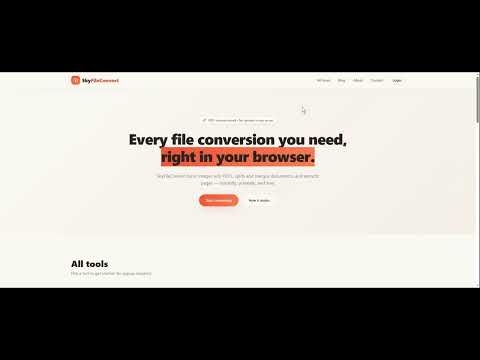
Convert files instantly from your browser — PDF, images, and more.
SkyFileConvert: The Fastest All-in-One File Converter. Convert PDF to JPG, Images to PDF, and more—directly from your browser. No registration, no ads, just instant results. Zero-Upload Privacy: Process your files locally in the browser (Manifest V3 secured). One-Click Magic: Convert any file in under 3 seconds with our high-speed engine. Smart Drag-and-Drop: Just drop your file into the popup and watch it work. No File Limits: Convert as many files as you need—totally free. Right-Click Productivity: Right-click any image on a webpage to convert it instantly. Why Us Built for 2026: Fully optimized for the latest Chrome standards (Manifest V3). Privacy First: We never see your data. Everything stays on your machine. Japanese Quality: Developed by Tioky LLC with a focus on functional minimalist design.
0 out of 5No ratings
Details
- Version1.0.0
- UpdatedMay 8, 2026
- Size20.93KiB
- LanguagesEnglish
- DeveloperWebsite
Email
info@skyfileconvert.com - Non-traderThis developer has not identified itself as a trader. For consumers in the European Union, please note that consumer rights do not apply to contracts between you and this developer.
Privacy

SkyFileConvert has disclosed the following information regarding the collection and usage of your data. More detailed information can be found in the developer's privacy policy.
SkyFileConvert handles the following:
This developer declares that your data is
- Not being sold to third parties, outside of the approved use cases
- Not being used or transferred for purposes that are unrelated to the item's core functionality
- Not being used or transferred to determine creditworthiness or for lending purposes
Support
For help with questions, suggestions, or problems, please open this page on your desktop browser