

Skrap: Email Verifier & Email Finder

Overview
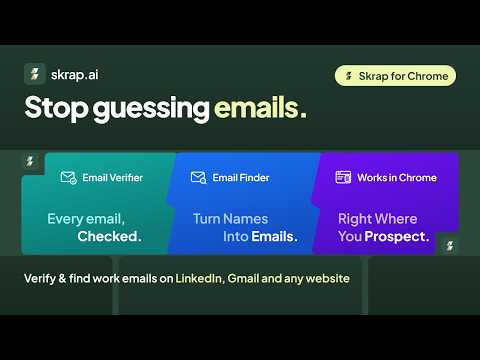
Verify and find work emails on LinkedIn, Sales Navigator, Gmail and any website. Invalid and not-found results are free.
Skrap verifies and finds work email addresses right where you prospect — and you only pay for results you can use. VERIFY ANY EMAIL, ANYWHERE • Right-click any email address on any page → “Verify with Skrap”. • Gmail: check the recipients of your draft before you hit Send. Verified recipients get a green, amber or red dot. • Company websites: verify every email address shown on the page in one click. • Paste a list into the Verify tab and check it in one go. Every result comes back Valid, Risky (catch-all / accept-all), Invalid or Unknown. FIND THE WORK EMAIL OF THE PERSON YOU’RE LOOKING AT • LinkedIn and Sales Navigator profiles: one click finds and verifies the email. • LinkedIn search results and Sales Navigator lead lists: find emails for the rows on screen, up to 25 at a time. • LinkedIn company pages and company websites: find anyone who works there by name. • Or type a name and a company or website in the Find tab. FAIR CREDITS • A verification or a find uses 1 credit only when the result is valid or risky. • Invalid, unknown and not-found results are always free. • Results are remembered for 30 days, so opening the same profile again never charges twice. SAVE AND EXPORT • Save leads in the extension, export them to CSV, or send them to a Skrap list — from there, export or sync them to your CRM. BUILT TO STAY OUT OF YOUR WAY • Skrap opens in Chrome’s side panel and reads only the page you have open, only when you use it. • It never browses for you: no background crawling, no auto-paging, no automated invitations or messages. • It does not change the pages you visit (apart from the status dots next to Gmail recipients) and never reads your cookies. • Only the fields needed for a lookup are sent to Skrap over HTTPS. GETTING STARTED 1. Add Skrap to Chrome and pin it. 2. Click Sign in with Skrap (new accounts are free and include free credits). 3. Click the Skrap icon — or press Alt+Shift+S — on LinkedIn, Gmail or any website. Privacy policy: https://skrap.ai/legal/privacy#browser-extension Help: https://skrap.ai/chrome-extension Skrap is not affiliated with or endorsed by LinkedIn or Google. LinkedIn and Sales Navigator are trademarks of LinkedIn Corporation; Chrome and Gmail are trademarks of Google LLC.
0 out of 5No ratings
Details
- Version0.1.1
- UpdatedNovember 11, 2026
- Offered bysehrawatrakhi04@gmail.com
- Size135KiB
- LanguagesEnglish
- DeveloperRakhi Sehrawat
Kanta Shrawan Jyoti, Near Sagar College 47 Bhopal, Madhya Pradesh 462041 INEmail
contact@skrap.aiPhone
+91 62649 07691 - TraderThis developer has identified itself as a trader per the definition from the European Union and committed to only offer products or services that comply with EU laws.
Privacy

Skrap: Email Verifier & Email Finder has disclosed the following information regarding the collection and usage of your data. More detailed information can be found in the developer's privacy policy.
Skrap: Email Verifier & Email Finder handles the following:
This developer declares that your data is
- Not being sold to third parties, outside of the approved use cases
- Not being used or transferred for purposes that are unrelated to the item's core functionality
- Not being used or transferred to determine creditworthiness or for lending purposes
Support
For help with questions, suggestions, or problems, visit the developer's support site