


Overview
Keep each site you choose in a single tab by opening its links in the tab you already have.
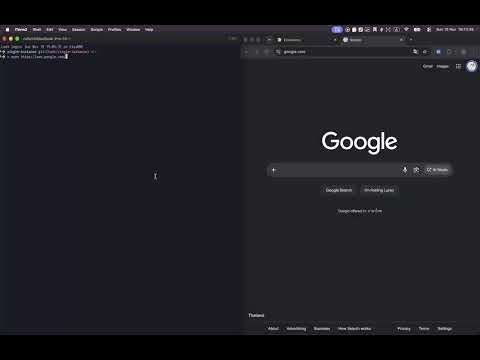
Single Instance keeps each site you choose in a single tab. When a link to that site is opened from another app or another page, it opens in the tab you already have, and the extra tab is closed. WHY YOU MIGHT WANT IT • Discord: the web app asks you to log in again when a link opens in a second tab. With Single Instance the link opens in your existing Discord tab and you stay logged in. • WhatsApp Web: only one session can be active at a time. • Slack, Figma and other heavy web apps: no second copy eating memory. • Music and video sites: no two tabs playing at once. It works like a desktop app that only ever has one window. YOU CHOOSE THE SITES, AND IT ONLY SEES THOSE Installing shows no permission warning. The extension asks for access to a site only when you add it, and it can only see the address and title of tabs on the sites you added. It cannot see tabs on any other site, and it cannot read or change the content of any page. Your rules are stored on your device. HOW TO USE IT 1. Open the site you want to keep in one tab. 2. Click the Single Instance button in the toolbar. 3. Turn on "Keep this site in one tab" and allow access to that site. From then on, links to that site open in its existing tab. You can also add, disable and remove sites on the options page, using a site name such as discord.com or a match pattern such as https://*.example.com/*. WHAT IT LEAVES ALONE • Links you open from the site itself with Ctrl/Cmd+click or middle click. • Login and other popup windows opened by a page. • Navigation inside a tab that is already open. • Private windows are kept separate from normal windows. OPEN SOURCE The source code is on GitHub: https://github.com/rxliuli/single-instance
0 out of 5No ratings
Details
- Version0.0.1
- UpdatedNovember 16, 2026
- Size158KiB
- LanguagesEnglish
- DeveloperWebsite
Email
rxliuli@gmail.com - Non-traderThis developer has not identified itself as a trader. For consumers in the European Union, please note that consumer rights do not apply to contracts between you and this developer.
Privacy

This developer declares that your data is
- Not being sold to third parties, outside of the approved use cases
- Not being used or transferred for purposes that are unrelated to the item's core functionality
- Not being used or transferred to determine creditworthiness or for lending purposes
Support
For help with questions, suggestions, or problems, please open this page on your desktop browser