


Overview
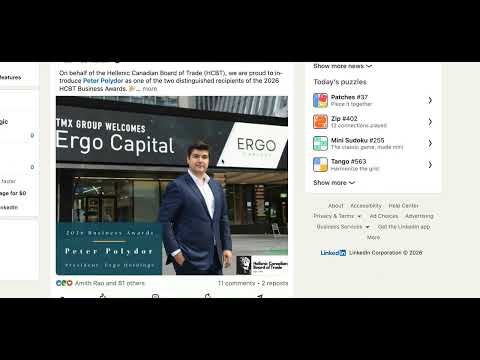
Block the LinkedIn feed to stop doomscrolling. Replaces your newsfeed with philosophy quotes. Stay focused.
🚫 SIMPLE LINKEDIN NEWSFEED — BLOCK THE FEED, RECLAIM YOUR FOCUS The lightweight Chrome extension that hides the LinkedIn newsfeed so you can actually get work done. Stop doomscrolling. Start networking. Simple LinkedIn Newsfeed replaces the endless stream of viral posts, hot takes, and outrage bait with a motivational quote and a "percentage of the year" tracker — turning LinkedIn back into the professional tool it was meant to be. ━━━━━━━━━━━━━━━━━━━━━━━━━━━━━━━━━━━━ 🤔 WHAT IS SIMPLE LINKEDIN NEWSFEED? Simple LinkedIn Newsfeed is a free, privacy-focused Chrome extension built for one job: hiding the LinkedIn home feed. By removing the algorithm-driven stream of posts and ads, it transforms LinkedIn into a purely functional space for messaging, job hunting, and networking — without the dopamine trap. No subscriptions. No tracking. No bloated settings menus. Just focus. ━━━━━━━━━━━━━━━━━━━━━━━━━━━━━━━━━━━━ ⚡ CORE FEATURES - One-click feed blocker. Hide the LinkedIn newsfeed (or the entire homepage) the moment you land on it. - Inspiration over distraction. See a rotating motivational quote and a real-time "percentage of the year" progress bar where the feed used to be. - Math-gated peek mode. Need to check the feed? Solve a quick math problem to unlock it for 5 seconds. Just enough friction to break the habit. - Simple toggle control. Turn it on or off with one click. - Privacy-first by design. Zero tracking, zero data collection, zero access to your messages. ━━━━━━━━━━━━━━━━━━━━━━━━━━━━━━━━━━━━ 🎯 WHY PROFESSIONALS LOVE IT 🧠 Deep focus Kill the infinite scroll that destroys deep work. 🚀 Higher-value time Channel energy into job hunting, outreach, and real networking. 😌 Less mental clutter Avoid outrage bait, humble-brags, and repetitive content. ⚙️ Zero friction No complex setup — install and go. 🔒 Total privacy No data leaves your browser. Ever. ━━━━━━━━━━━━━━━━━━━━━━━━━━━━━━━━━━━━ 🔧 HOW IT WORKS 1. Install the extension from the Chrome Web Store. 2. Visit LinkedIn.com. 3. Focus. The newsfeed is automatically hidden. Your messages, notifications, sidebar, and navigation stay fully intact. 4. Need a peek? Solve a quick math problem to unlock the feed for 5 seconds. That's it. No configuration. No learning curve. ━━━━━━━━━━━━━━━━━━━━━━━━━━━━━━━━━━━━ 👥 WHO IT'S FOR - Job seekers — Focus on applications and recruiter conversations, not viral posts. - Sales pros & recruiters — Use LinkedIn as a CRM without the feed pulling you under. - Content creators — Post, reply to comments, and step away — no rabbit holes. - Students — Research companies and build connections without the noise. - Anyone with a deep-work habit — Protect your attention from the algorithm. ━━━━━━━━━━━━━━━━━━━━━━━━━━━━━━━━━━━━ 📋 SPECS AT A GLANCE - Minimalist UI that blends seamlessly with LinkedIn's design - Lightweight — zero impact on page load or browser speed - Cross-browser — works on Chrome, Brave, Edge, Arc, and other Chromium browsers - Minimal permissions — only what's needed to hide the feed, nothing more ━━━━━━━━━━━━━━━━━━━━━━━━━━━━━━━━━━━━ ❓ FREQUENTLY ASKED QUESTIONS Q: How do I hide the LinkedIn newsfeed? A: Install the Simple LinkedIn Newsfeed Chrome extension. It automatically detects the feed on LinkedIn's homepage and hides it on every visit — no setup required. Your messages, notifications, and job tools remain fully accessible. Q: Is there a distraction-free mode for LinkedIn? A: Yes. Simple LinkedIn Newsfeed creates a true distraction-free mode by removing the home feed entirely. You can still use Messaging, Jobs, My Network, and Notifications — just without the temptation of scrolling. Q: Does this extension collect or track my LinkedIn data? A: No. Simple LinkedIn Newsfeed is built privacy-first. It does not collect, store, or transmit any personal data, login credentials, messages, or browsing history. Everything happens locally in your browser. Q: Will this break when LinkedIn updates its design? A: Unlike general-purpose blockers, Simple LinkedIn Newsfeed is purpose-built for LinkedIn and updated to stay in sync with the platform's UI changes. Q: Is Simple LinkedIn Newsfeed free? A: Yes. The extension is free with no subscription, no premium tier, and no hidden costs. Q: Can I still check the feed sometimes? A: Yes. Solve a quick math problem to unlock the feed for 5 seconds — enough to scan for anything important without falling into an hour-long scroll. Q: What's the difference between this and News Feed Eradicator? A: News Feed Eradicator is a general-purpose tool that targets many sites. Simple LinkedIn Newsfeed is purpose-built for LinkedIn only — which means a cleaner experience, faster updates when LinkedIn changes its UI, and a feature set tuned specifically to professional use cases (like the math-gated peek mode). ━━━━━━━━━━━━━━━━━━━━━━━━━━━━━━━━━━━━ 🏆 WHY CHOOSE SIMPLE LINKEDIN NEWSFEED? Other tools try to do too much. This one does one thing perfectly: it gives you LinkedIn without the feed. - Purpose-built for LinkedIn — not a generic blocker - Free forever — no subscription, no upsell - Reliably updated when LinkedIn changes its UI - Featherweight and fast - Privacy-respecting by default The most reliable way to stay productive on the world's largest professional network. ━━━━━━━━━━━━━━━━━━━━━━━━━━━━━━━━━━━━ 📥 Install Simple LinkedIn Newsfeed today and turn LinkedIn back into a tool — not a trap.
0 out of 5No ratings
Details
- Version1.1.1
- UpdatedMay 21, 2026
- Size1.13MiB
- LanguagesEnglish
- Developer
- Non-traderThis developer has not identified itself as a trader. For consumers in the European Union, please note that consumer rights do not apply to contracts between you and this developer.
Privacy

This developer declares that your data is
- Not being sold to third parties, outside of the approved use cases
- Not being used or transferred for purposes that are unrelated to the item's core functionality
- Not being used or transferred to determine creditworthiness or for lending purposes
Support
For help with questions, suggestions, or problems, please open this page on your desktop browser