

Simple Auto Clicker
18 ratings
)
Overview
A clean, lightweight auto clicker with follow-mouse, element-picker, and coordinate modes.
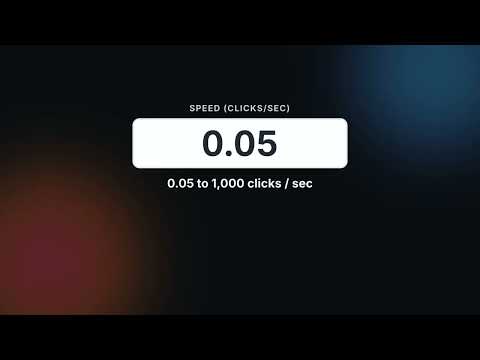
Are you tired of all the slop autoclickers that don't work? Introducing Simple Auto Clicker, the cleanest, fastest, and most reliable autoclicker for Chrome: with follow-mouse, element & coordinate modes, custom hotkeys, up to 200+ CPS. No ads, no tracking, works on Chromebooks, Mac, and Windows! Simple Auto Clicker is a lightweight tool designed to save you time and handle repetitive clicking tasks effortlessly. Whether you need to keep a session active, win a clicking game, or automate data entry, this extension provides precision control without the bloat. 3 Powerful Modes: Follow Mouse: Automate clicks wherever your cursor moves. Fixed Location (Element Picker): Select a specific button or element on the page, and the clicker will target it even if you move your mouse away. Fixed Location (Coordinate Picker): Targets an exact X/Y pixel on your screen. Same properties as Element Picker, and now with an optional Multi-Point mode (in Advanced settings) that lets you click several spots in a row every cycle, instead of just one. Customizable Speed: Set your exact clicking speed, from slow automation to ultra-fast rapid fire (up to 200+ clicks per second). Smart Hotkeys: Start and stop instantly with the default shortcut (Ctrl + Shift + Q) or bind your own custom key (e.g., "Q" or "Ctrl+Space"). Safety First: Inputs are locked while running to prevent accidental speed changes. Visual Feedback: Clear status indicators and a "green flash" confirmation when selecting elements so you always know what's happening. Privacy Focused: No ads, no tracking, and no data collection. It runs locally on your browser. 🎯 How to Use: Select Mode: Choose "Follow Mouse" to click where you point, "Pick Element" to lock onto a specific target, or "Pick Coordinate" to lock it at a specific coordinate. Set Speed: Enter your desired Clicks Per Second (CPS). Start: Click the "START" button or press your hotkey. Stop: Press the hotkey again or click "STOP" in the popup. Why choose Simple Auto Clicker? Unlike other extensions that are filled with ads or confusing settings, this tool focuses on doing one thing perfectly: clicking. It is optimized for performance, ensuring it won't slow down your browser even at high speeds. Perfect for: Gaming (specifically designed to work on Cookie Clicker) Keeping website sessions active Automating form submissions Testing website responsiveness Download now and save your mouse (and your finger)!
3.8 out of 518 ratings
Details
- Version1.7
- UpdatedSeptember 20, 2026
- Offered byDaniel's QOL
- Size36.92KiB
- LanguagesEnglish
- Developer
Email
danieldenialdeveloping@gmail.com - Non-traderThis developer has not identified itself as a trader. For consumers in the European Union, please note that consumer rights do not apply to contracts between you and this developer.
Privacy

This developer declares that your data is
- Not being sold to third parties, outside of the approved use cases
- Not being used or transferred for purposes that are unrelated to the item's core functionality
- Not being used or transferred to determine creditworthiness or for lending purposes