

SidePC - AI Prompt Manager for ChatGPT, Claude & Gemini

Overview
Create, organize, and launch configurable AI prompts across your favorite AI chatbots — no coding required
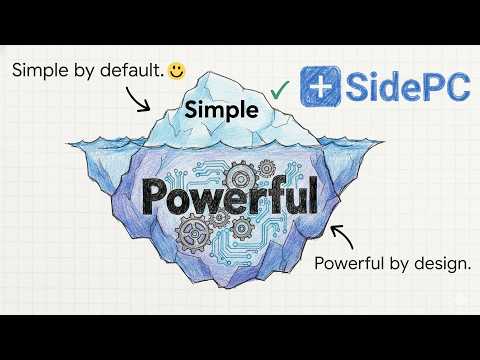
Stop chatting. Start executing. SidePC transforms your browser into a high-speed AI command center, bridging the gap between open-ended chatboxes and professional-grade execution. Turn fragmented AI interactions into a unified, scalable workflow — without writing a single line of code. Whether you use a dedicated AI assistant or switch between several, SidePC adds a sleek, collapsible sidebar directly into your workflow. Save your best prompts, reduce inconsistent outputs, and turn simple ideas into professional, repeatable results. 🚀 Turn Any Chatbot Into a Custom AI Applet Move beyond basic chatting. Build interactive AI templates — called Applets — directly in your browser. Instead of typing long instructions every time, fill out a clean, structured form using dropdowns, radio buttons, and text fields, and let SidePC inject the perfect prompt instantly. Imagine you run a marketing agency and need to produce ad copy every day. Without SidePC, you type out a long prompt from scratch, remember to include the brand tone, target audience, product details, and format requirements — and still get inconsistent results. With SidePC, you build an Applet once: a clean form with a dropdown for tone, a field for the product name, a checkbox for platform, and a text field for key messages. Every team member fills it in and gets a perfectly structured, consistent prompt every single time — in seconds. Applets can be as simple or as sophisticated as your workflow demands. Start with a basic prompt template and evolve it into a multi-field form that handles complex, repeatable tasks automatically. Also compatible with OpenClaw Chat for teams running local AI agent workflows. 📁 Centralize Your AI Workflow Stop hunting for prompts across Notion docs, sticky notes, and chat histories. SidePC is a cross-platform AI organizer that follows you wherever you work. Smart Prompt Library: Save your highest-performing prompts in one secure, accessible sidebar. Tag, search, and launch them instantly without interrupting your flow. Workflow Organization: Group Applets by project, client, or department using drag-and-drop folders with custom icons. Keep your workspace clean and your team aligned. Seamless Integration: Works directly inside your favorite AI tools without switching tabs or copy-pasting between windows. Your sidebar is always one click away. Desktop Mode: SidePC's dedicated desktop interface gives you a full-screen AI workstation experience, perfect for managing complex workflows, onboarding new team members, or building and editing Applets with more screen real estate. 📁 The CIA Framework — Structured Prompts, Predictable Results Unstructured prompts lead to unpredictable results. The difference between a good AI output and a great one almost always comes down to how the prompt was written — and most people are working with vague, inconsistent instructions. SidePC uses a proven Context, Input, Action (CIA) framework to eliminate the ambiguity gap: Context: Give the AI the background it needs — who it is, what it knows, and what situation it's operating in. Input: Provide the specific data, content, or variables relevant to the task at hand. Action: Tell the AI exactly what to do, in what format, and to what standard. Here's what that looks like in practice: Without SidePC — a typical unstructured prompt: "Write a blog post about our new product launch." With SidePC — a CIA-structured prompt injected automatically: "You are a senior content strategist for a B2B SaaS company. The product is a project management tool launching on April 1st, targeting operations managers at mid-sized companies. Write a 600-word blog post in a confident, professional tone with a strong opening hook, three key benefit sections, and a CTA to book a demo." Same task. Completely different output. SidePC builds that structure into every Applet so your team never has to think about prompt engineering again — they just fill in the form and get results. 🤝 Scale Team Productivity Ensure every team member gets expert-level results, regardless of their technical skill or familiarity with AI. Auto-Updating Workflows: Share your best Applets with your team via a simple link. When you update the Applet, changes push to everyone instantly — no redistribution, no version control headaches. Context Injection: Upload PDFs or CSVs directly into the sidebar to give the AI the exact data it needs for accurate, relevant outputs. Feed it a product catalog, a client brief, or a support knowledge base and watch the quality of responses transform. Applet Library: Hit the ground running with a curated collection of ready-made AI blueprints covering common business workflows. Install one, customize it to your needs, and start executing immediately. Who Is SidePC For? SidePC is built for high-velocity professionals and teams who need AI automation without the complexity of coding. Marketing & SEO Agencies Running a content operation means producing high volumes of consistent, on-brand output across blog posts, ad copy, social media, and email. SidePC lets agencies build standardized content Applets that every team member can use — ensuring brand voice, format, and quality stay consistent regardless of who's doing the writing. Brief a copywriter in seconds. Generate first drafts in a structured format. Stop briefing the AI from scratch every morning. Customer Support Teams Speed and accuracy are everything in support. SidePC gives support teams a structured sidebar where agents select the issue type, product, and tone from dropdowns — and get a perfectly framed response prompt every time. No more inconsistent replies, no more rewriting the same explanations. Just fast, accurate, on-brand responses that scale across your entire team. Founders & Small Business Owners When you're wearing every hat, the last thing you need is prompt engineering fatigue. SidePC lets founders automate the repetitive AI tasks that eat up their day — drafting emails, writing social posts, summarizing documents, generating reports — with simple, reusable Applets that do the heavy lifting. Set it up once, use it every day. Developers & IT Teams Maintain a centralized prompt library for boilerplate code generation, debugging sequences, code review checklists, and technical documentation. SidePC keeps your best engineering prompts organized, versioned, and accessible across your team — so your developers spend less time rewriting instructions and more time shipping. 🔒 Privacy First SidePC runs entirely locally in your browser. Your prompts and workflows are saved to your Chrome Sync storage and follow you across devices. We do not track your chat history, monitor your AI conversations, or store your personal data on external servers. What you build in SidePC stays yours. Simple by default. Powerful by design. Stop losing hours to the blank chatbox. Install SidePC and start operating at the speed of thought.
4.8 out of 58 ratings
Details
- Version2.5.6
- UpdatedMarch 27, 2026
- Size3.42MiB
- LanguagesEnglish
- DeveloperWebsite
Email
support@sidepc.app - Non-traderThis developer has not identified itself as a trader. For consumers in the European Union, please note that consumer rights do not apply to contracts between you and this developer.
Privacy

This developer declares that your data is
- Not being sold to third parties, outside of the approved use cases
- Not being used or transferred for purposes that are unrelated to the item's core functionality
- Not being used or transferred to determine creditworthiness or for lending purposes
Support
For help with questions, suggestions, or problems, visit the developer's support site