


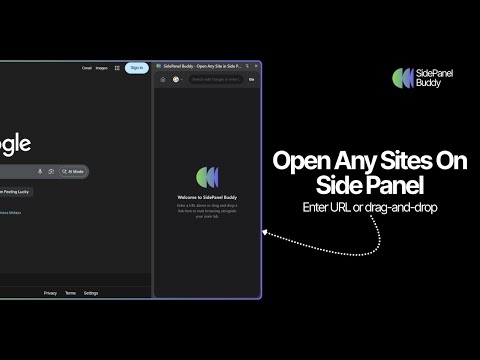
Overview
Browse any website in Chrome's side panel alongside your main tab.
Your browsing session stays exactly where you left it. Unlike other side panel browsers, SidePanel Buddy automatically saves your last visited page - close the panel, switch tabs, or even restart Chrome, and your page will be right there waiting when you return. Choose your favorite search engine. Quickly switch between Google, Bing, Brave Search, Ecosia, or Yahoo directly from the side panel. Your preference is remembered across sessions. What is SidePanel Buddy? SidePanel Buddy transforms Chrome's side panel into a fully functional browser. Browse any website alongside your main tab - perfect for: - Research - Keep references open while writing documents - Comparison shopping - View product pages side by side - Social media - Check Twitter, Reddit, or news without leaving your current page - Tutorials - Follow along with guides while working in another tab - Multitasking - Watch videos, read articles, or chat while browsing Key Features ✓ Session Persistence - Your page is automatically saved and restored ✓ Multiple Search Engines - Google, Bing, Brave, Ecosia, Yahoo ✓ Drag & Drop - Drop any link into the panel to open it ✓ Dark Mode Support - Automatically matches your system theme ✓ Clean Interface - Minimal, distraction-free design ✓ Fast & Lightweight - No bloat, just browsing How to Use 1. Click the SidePanel Buddy icon to open the side panel 2. Enter a URL or search term in the address bar 3. Browse freely - your session is automatically saved 4. Close and reopen anytime - you'll be right where you left off Browse smarter. Browse together. Browse with SidePanel Buddy.
4.5 out of 52 ratings
Details
- Version1.0.0
- UpdatedDecember 5, 2025
- Offered byAnkur Shukla
- Size85.56KiB
- LanguagesEnglish
- DeveloperAnkur Shukla
401 Bangalore, Karnataka 560076 INEmail
ankur14vicky@gmail.com - Non-traderThis developer has not identified itself as a trader. For consumers in the European Union, please note that consumer rights do not apply to contracts between you and this developer.
Privacy

This developer declares that your data is
- Not being sold to third parties, outside of the approved use cases
- Not being used or transferred for purposes that are unrelated to the item's core functionality
- Not being used or transferred to determine creditworthiness or for lending purposes