


Overview
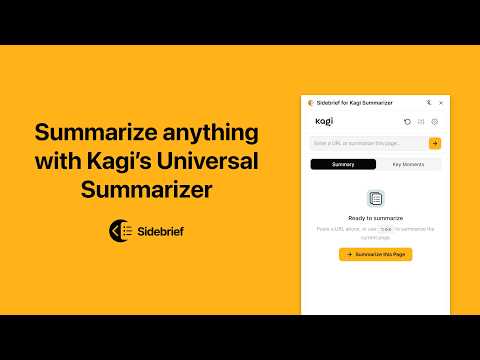
Summarize any page with Kagi Universal Summarizer
Sidebrief opens a clean sidebar panel where you can get a full summary or bullet-point key moments for any page. Paste a URL, click the toolbar icon, use a keyboard shortcut, or right-click any link. The summary appears alongside the page you're reading. Features: • Sidebar interface that stays open while you browse • Toggle between Summary and Key Moments • Summarize the current page, paste any URL, or right-click selected text (requires API token) • Copy summaries as plain text or Markdown, or share via the native share sheet • Keyboard shortcuts for everything (Alt+Shift+S/⌥+Shift+S to summarize, Alt+Shift+K/⌥+Shift+K for key moments) • Quick settings to change engine, output language, text size, and font family without leaving the sidebar • Adjustable summary text size (12px–24px) with sans-serif, serif, monospace, and OpenDyslexic font options • Six accent color themes • Local history of your last 10 summaries • Light and dark theme that follows your system Accessibility: Sidebrief includes full screen reader support with ARIA labels and live announcements, keyboard-navigable controls, and support for reduced motion, high contrast, and Windows High Contrast Mode. Engines: The free Cecil engine works if you're signed into kagi.com, no API token needed. For paid engines (Agnes or Muriel), add your token in settings. Get one at https://kagi.com/settings/api. Privacy: Sidebrief runs entirely in your browser. There are no background servers, no hidden calls, and no analytics. The only time any data leaves your device is when you explicitly request a summary, at which point the page URL is sent to the Kagi Summarizer API to generate it. Your preferences are stored using your browser's built-in extension storage, which may sync across devices if you have browser sync enabled. Tiny Extensions does not collect or track anything. No analytics. No telemetry. No user data. When you request a summary, your interaction is governed solely by the Kagi Privacy Policy and Kagi LLM Policy. Note: While Orion supports most Chrome extensions, Sidebrief will not work in Orion. Orion does not currently provide a sidebar API for extensions, which is required for Sidebrief to function. Similar functionality is already built into Orion. Learn more on GitHub: https://github.com/sethcottle/sidebrief This is an unofficial extension and is not affiliated with, endorsed by, or connected to Kagi, Inc.
0 out of 5No ratings
Details
- Version1.4.0
- UpdatedMarch 7, 2026
- Size146KiB
- LanguagesEnglish
- DeveloperWebsite
Email
sethcottle@gmail.com - Non-traderThis developer has not identified itself as a trader. For consumers in the European Union, please note that consumer rights do not apply to contracts between you and this developer.
Privacy

This developer declares that your data is
- Not being sold to third parties, outside of the approved use cases
- Not being used or transferred for purposes that are unrelated to the item's core functionality
- Not being used or transferred to determine creditworthiness or for lending purposes
Support
For help with questions, suggestions, or problems, please open this page on your desktop browser