


概要
AI-powered sidebar that summarizes, explains, and analyzes web content using Google's Gemini API.
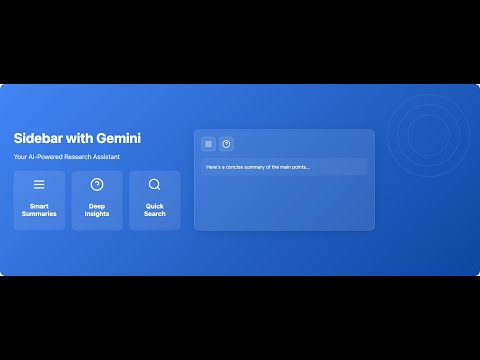
🔍 Sidebar with Gemini - Your AI-Powered Content Analysis Companion Transform how you browse the web with Sidebar with Gemini, an intelligent browser extension that brings the power of Google's Gemini AI right to your sidebar. Get instant summaries, explanations, and insights from any webpage with just one click. 🌟 KEY FEATURES: ✨ Smart Summarization • Get concise summaries of any webpage • Quickly grasp main points without reading everything • Perfect for research and content discovery 📚 Detailed Explanations • Break down complex content into simple terms • Understand technical concepts easily • Get comprehensive analysis of any topic 🎯 Key Highlights • Extract important points as bullet points • Focus on what matters most • Save time with organized information 🔎 Intelligent Search • Extract relevant keywords automatically • Find related content quickly • Enhance your research workflow 🔄 Easy Sharing • Generate engaging content previews • Share insights with colleagues • Create perfect social media snippets 🎨 Modern Design • Clean, intuitive interface • Light and dark themes • Responsive and fast 🔒 Privacy First • Your API key is stored securely • No data collection • Works offline with your key 🚀 PERFECT FOR: • Students and researchers • Content creators • Knowledge workers • Anyone who reads online 💡 HOW IT WORKS: 1. Install the extension 2. Add your Gemini API key 3. Click the sidebar icon 4. Use any feature with one click ⚡️ REQUIREMENTS: • Google Chrome 88 or later • Gemini API key (get it free from Google AI Studio) • Internet connection 🛡️ PRIVACY & SECURITY: • Your API key is stored locally • No data collection or tracking • All processing done via Google's secure API 💪 POWER FEATURES: • Copy any generated content • Customizable theme • Keyboard shortcuts • Smart content detection • Automatic language processing Get Sidebar with Gemini today and transform your web browsing experience with AI-powered insights!
5 点満点で 55 件の評価
詳細
プライバシー
Sidebar with Gemini から、お客様のデータの収集と使用に関する以下の情報が開示されています。 詳しくは、デベロッパーの privacy policy をご確認ください。
Sidebar with Gemini は次を扱います。
このデベロッパーは、お客様のデータについて以下を宣言しています
- 承認されている以外の用途で第三者に販売しないこと
- アイテムの中心機能と関係のない目的で使用または転送しないこと
- 信用力を判断する目的または融資目的で使用または転送しないこと
サポート
質問や提案、問題がある場合は、デベロッパーのサポートサイトにアクセスしてください。