

ShowMe for Business Central
1 rating
)
Overview
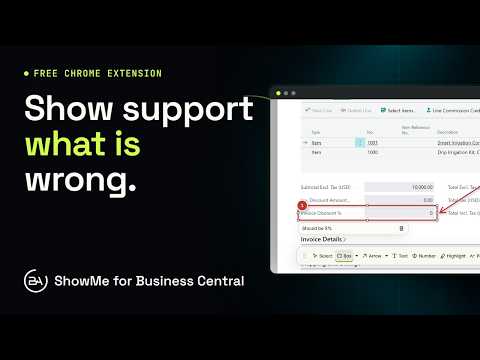
Show what is wrong in Business Central: capture the page and field, draw on it, then share a report or file it to your tracker.
Report Microsoft Dynamics 365 Business Central issues with the context support needs. ShowMe shows the page and field name you are on, captures screenshots and your notes, lets you draw on them, and turns them into a report or a work item in your tracker. Free, from Bitta Apps, a Microsoft Dynamics 365 Business Central partner. FIELD NAMES WITHOUT GUESSWORK Click into a field and the ShowMe panel shows where you are, for example Customer Card > Payment Terms. Each note records the page, the field caption and its value, so support knows exactly which field you mean. Field names are the captions shown on the page; ShowMe does not show table or field IDs. CAPTURE AND DRAW • Capture the whole page, an area, or a menu after a 3 second delay • Draw numbered boxes, arrows, text and highlights, and blur anything private • Paste a Business Central error: ShowMe picks out the message and the Session and Activity IDs support asks for • Keep the last 10 to 60 seconds of the tab as video, with tab sound or your microphone • Record a tutorial: your clicks become a step by step guide with pictures SHARE OR FILE • Export a PDF, HTML, Markdown or ZIP file, copy the report into an email, or download an email draft • File notes to Azure DevOps, Jira or monday.com, and see exactly what will be sent first WHO IT IS FOR Business Central users reporting an issue, key users running user acceptance testing, consultants documenting a go-live, and support teams who want every ticket to arrive with the page, the field and the error. PRIVATE BY DESIGN Reports stay on your computer until you export, copy, email or file them. No account, no analytics, no tracking. Site access is optional and requested only when you need it. Works in Chrome and Microsoft Edge with Business Central online, and on other sites you choose to allow. ABOUT BITTA APPS Bitta Apps implements Business Central, supports it after go-live, and publishes Business Central apps on Microsoft Marketplace. https://bittaapps.com ShowMe is an independent extension and is not made by or affiliated with Microsoft. Dynamics 365 and Business Central are trademarks of Microsoft.
5 out of 51 rating
Details
- Version0.1.2
- UpdatedNovember 18, 2026
- Offered byBitta Apps
- Size3.02MiB
- LanguagesEnglish
- DeveloperBitta Apps LLC
3390 Big Dipper Dr Corona, CA 92882-8335 USEmail
info@bittaapps.comPhone
+1 626-766-9732 - TraderThis developer has identified itself as a trader per the definition from the European Union and committed to only offer products or services that comply with EU laws.
- D-U-N-S056907221
Privacy

ShowMe for Business Central has disclosed the following information regarding the collection and usage of your data. More detailed information can be found in the developer's privacy policy.
ShowMe for Business Central handles the following:
This developer declares that your data is
- Not being sold to third parties, outside of the approved use cases
- Not being used or transferred for purposes that are unrelated to the item's core functionality
- Not being used or transferred to determine creditworthiness or for lending purposes
Support
For help with questions, suggestions, or problems, visit the developer's support site