


Overview
Connect ShotSync to your retailer portals and fill listings in one click.
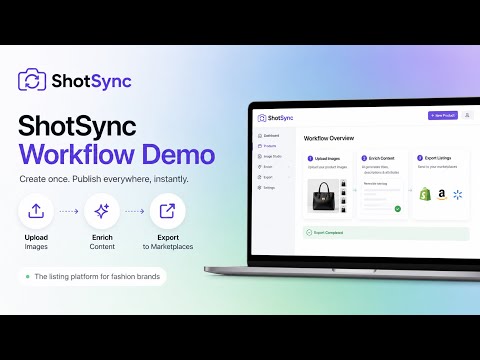
ShotSync turns a finished photoshoot into finished product listings. This extension is how those listings reach retailers that have no API. Most supplier and vendor portals expect a human to type each product in by hand and upload the images one at a time. ShotSync fills the form instead. HOW IT WORKS 1. Open the retailer's create-a-product page and click the ShotSync icon. 2. Pick the product from your ShotSync shoot. 3. ShotSync reads the form, matches your fields to theirs, and shows you the mapping before anything is filled. 4. Confirm, and the form is completed — title, description, colour, size, price, barcode, and the images at that retailer's required dimensions. It fills and stops. Their Submit button is yours to press, every time, on every portal. ShotSync never submits a listing for you. WORKS WITH ANY PORTAL THE ICONIC's Seller Centre has a field mapping built in. Everything else you map once, yourself, by pointing at the fields — and from then on that portal fills in one click like the built-in one. YOU NEED A SHOTSYNC ACCOUNT The extension is a delivery mechanism for listings that ShotSync has already produced. It does nothing on its own. Sign up at https://www.shotsync.ai — 30 days free, no card required.
0 out of 5No ratings
Details
- Version1.0.0
- UpdatedSeptember 18, 2026
- Size36.05KiB
- LanguagesEnglish
- DeveloperPHOTOWORKS AUSTRALIA PTY LTDWebsite
Ste 57, Level 5/61 Marlborough St Surry Hills, NSW 2010 AUEmail
hello@shotsync.aiPhone
+61 451 481 355 - TraderThis developer has identified itself as a trader per the definition from the European Union and committed to only offer products or services that comply with EU laws.
- D-U-N-S744997333
Privacy

ShotSync — Retailer Portal Autofill has disclosed the following information regarding the collection and usage of your data. More detailed information can be found in the developer's privacy policy.
ShotSync — Retailer Portal Autofill handles the following:
This developer declares that your data is
- Not being sold to third parties, outside of the approved use cases
- Not being used or transferred for purposes that are unrelated to the item's core functionality
- Not being used or transferred to determine creditworthiness or for lending purposes
Support
For help with questions, suggestions, or problems, please open this page on your desktop browser