

shotlink

Overview
manifest.json description
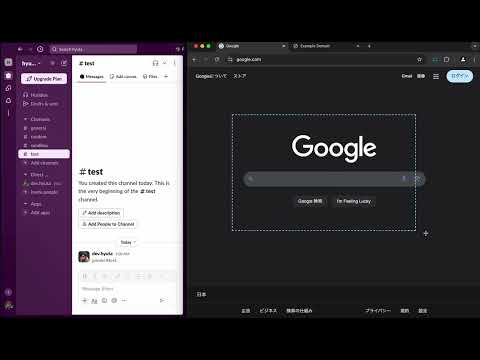
This browser extension is a simple yet powerful tool that allows you to take a trimmed screenshot of a webpage and copy it to the clipboard along with the corresponding URL in one seamless action. Key features include: - Trimming capability: Capture only the portion of the webpage you need. - Automatic URL copy: The URL of the captured page is copied to the clipboard simultaneously. - One-step operation: Trimming and copying are done efficiently in a single action. - Easy to use: Simply click the icon and select the area you want to capture. Perfect for preparing presentations, creating documents, or streamlining research. Try it out today and enhance your workflow!
0 out of 5No ratings
Details
- Version0.0.3
- UpdatedDecember 18, 2024
- Offered bydev.hyuta
- Size13.25KiB
- LanguagesEnglish
- Developer
Email
dev.hyuta+chrome@gmail.com - Non-traderThis developer has not identified itself as a trader. For consumers in the European Union, please note that consumer rights do not apply to contracts between you and this developer.
Privacy

This developer declares that your data is
- Not being sold to third parties, outside of the approved use cases
- Not being used or transferred for purposes that are unrelated to the item's core functionality
- Not being used or transferred to determine creditworthiness or for lending purposes
Support
For help with questions, suggestions, or problems, please open this page on your desktop browser