

Shortcuts for Google™ Products

Visão geral
Displays all Google products in a single, space-saving, drop-down panel
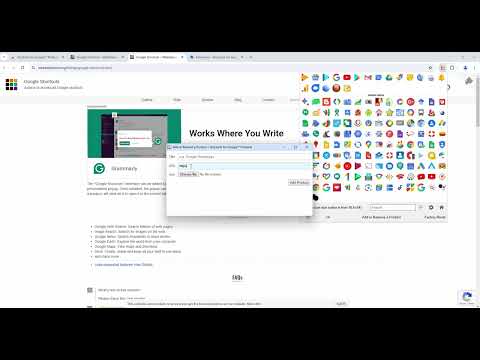
The "Shortcuts for Google Products" extension lists all Google products in your browser's toolbar popup. Clicking on an icon will open the product in a new tab. Operation: Click: Opens in a new active tab next to the current tab Shift + Click: Opens in a new window Ctrl + Click or Command + Click: Open in a background tab next to the current tab Updates: 1. Drag & drop to re-arrange your icons. 2. Re-size popup and also icons. 3. Add a new custom product to the list Notes: 1. In order to change the popup width, please enter an integer value from 5 to 24 in the designated space. This value represents the number of columns in the popup. 2. In order to change the icon's size, please enter an integer value from 16 to 64 in the designated space. This value represents the icon size in pixels. 3. in order to see the new icons after each update (not for the first install), you need to reset the toolbar popup once. To do so, open the toolbar popup, click on the settings icon at the bottom left corner, and then click on the reset button.
4,5 de 5110 notas
Detalhes
- Versão2.1.2
- Atualização2 de março de 2026
- Oferecido porBenni
- Tamanho733KiB
- IdiomasEnglish
- Desenvolvedor
E-mail
benni.es@yahoo.com - Não negocianteEsse desenvolvedor não se identificou como comerciante. Caso você seja da União Europeia, observe que os direitos do consumidor não se aplicam a contratos firmados entre você e esse desenvolvedor.
Privacidade

O desenvolvedor declara que seus dados
- Não são vendidos a terceiros, exceto nos casos de uso aprovados
- Não são usados ou transferidos para fins não relacionados à função principal do item
- Não são usados ou transferidos para informações de crédito ou empréstimo
Suporte
Para receber ajuda com perguntas, sugestões ou problemas, acesse o site de suporte do desenvolvedor.