

Shopify Theme Sync - Edit Themes With AI From Your Computer

Overview
Edit Shopify themes from your computer instead of the browser. 2 minutes setup. Real-time changes.
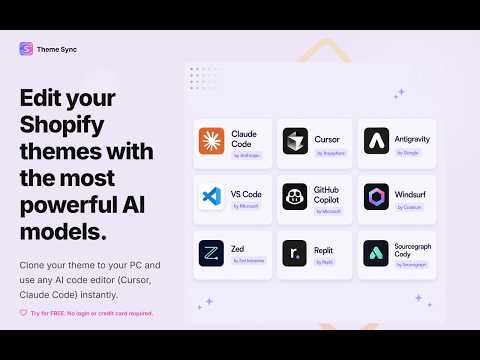
Imagine if you could edit Shopify themes with AI editors (Cursor, Claude Code, Windsurf...) instead of Shopify's browser editor? With no complex setups, no Shopify CLI, not even admin access (only access to the theme is needed - perfect for freelancers). Shopify Theme Sync is the solution. Sync your Shopify theme(s) directly to your computer, so you can edit them with your favorite IDEs and workflow, without relying on Shopify's browser editor. This is an absolute must-have tool for anyone editing code in their themes. Features: - Super simple setup: download the Chrome extension, select a folder in your computer to sync the theme and you're ready to go. - Immediate changes: all files that you edit in your computer reflect immediately on the store. - Bidirectional syncing: if you edit a file on the browser, it updates in real time in your computer. And vice-versa. (you can disable this if you wish) - Perfect for freelancers: no admin access needed, just theme access is enough. - Work with any theme on your own setup, with your preferred workflow. - Works on unlimited themes and unlimited stores. - Works on Chrome and all Chromium-based browsers (Edge, Brave, Arc). - Free trial included: get up to 100 free syncs to test it out. - 100% privacy compliant: no theme files or store data are ever stored on our servers. Only your account and subscription status are saved to keep your session active. Install for free and start syncing.
5 out of 51 rating
Details
- Version1.0.29
- UpdatedApril 24, 2026
- Size734KiB
- LanguagesEnglish
- DeveloperWebsite
Email
codedCitadel@gmail.com - Non-traderThis developer has not identified itself as a trader. For consumers in the European Union, please note that consumer rights do not apply to contracts between you and this developer.
Privacy

Shopify Theme Sync - Edit Themes With AI From Your Computer has disclosed the following information regarding the collection and usage of your data. More detailed information can be found in the developer's privacy policy.
Shopify Theme Sync - Edit Themes With AI From Your Computer handles the following:
This developer declares that your data is
- Not being sold to third parties, outside of the approved use cases
- Not being used or transferred for purposes that are unrelated to the item's core functionality
- Not being used or transferred to determine creditworthiness or for lending purposes
Support
For help with questions, suggestions, or problems, please open this page on your desktop browser