


Overview
Live-tab page QA: WCAG accessibility, AI search visibility, Core Web Vitals, a launch checklist, and AI fix prompts for your editor.
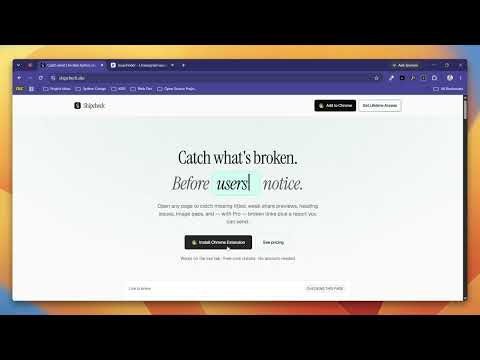
Shipcheck is a Chrome side-panel QA tool for freelancers, indie hackers, and agencies. Open any page (localhost, staging, a logged-in dashboard, or production) and Shipcheck shows what's broken before clients or users notice: SEO, WCAG 2.2 accessibility, AI search visibility, Core Web Vitals, and launch readiness. Every issue comes with a fix. Copy it as an AI fix prompt and paste it into Cursor, Claude Code, or ChatGPT to fix it in seconds. FREE • Google SERP snippet preview • Title & meta description checks • Viewport, charset & title↔H1 alignment • Open Graph / share preview • Heading outline • Image alt checks • Link counter • Site icon check • Preview of accessibility, AI search visibility, Core Web Vitals, focus order, and launch checklist results • 3-page site scan • Try one AI fix prompt PRO ($20 lifetime, pay once) • WCAG 2.2 A/AA accessibility audit with fixes, for ADA and European Accessibility Act work, plus an Accessibility Statement generator • AI search visibility: ChatGPT, Perplexity, and Claude crawler access, llms.txt generator, and server-rendered content check • AI fix prompts for every issue, or the whole page as one prompt • Core Web Vitals (LCP, CLS, INP) with the slow element named, plus Google real-user data when available • Keyboard focus-order overlay that numbers every tab stop and flags missing focus styles • Pre-launch checklist: HTTPS, security headers, privacy & terms links, cookie consent, analytics, 404 page, robots.txt, sitemap, share images • Site-wide accessibility & AI scan (25 pages) • Multi-page crawl (up to 50 pages) + CSV export • Broken links & dead anchors • Schema / JSON-LD checks • Live overlays (headings + missing alt) • Staging vs production compare • Screenshot evidence + full ship-readiness score • White-label PDF & Markdown reports with your logo and agency name • Hide Shipcheck branding on client deliverables • Before/after finding snapshots for handoff proof • All future Pro tools included HOW IT WORKS 1. Open the page you want to check 2. Open the Shipcheck side panel 3. Fix what's flagged (or copy the AI fix prompt into your editor), then re-check 4. Export a Pro report when you hand off to a client No account required for Free. Pro unlocks with a one-time license key after checkout. PRIVACY Checks are rule-based and run on the live tab, with a few network requests for robots.txt, llms.txt, and search signals. Nothing is sent to an AI model. AI fix prompts are copied to your clipboard, and you choose where to paste them. Free tools and guides: https://shipcheck.site
5 out of 51 rating
Details
- Version0.3.1
- UpdatedOctober 15, 2026
- FeaturesOffers in-app purchases
- Size350KiB
- LanguagesEnglish (United States)
- DeveloperSumit JhaWebsite
Plot No.17 Dhanani Nagar Mumbai, Maharashtra 401501 INEmail
sumitsj2002@gmail.comPhone
+91 86004 40663 - TraderThis developer has identified itself as a trader per the definition from the European Union and committed to only offer products or services that comply with EU laws.
Privacy

Shipcheck has disclosed the following information regarding the collection and usage of your data. More detailed information can be found in the developer's privacy policy.
Shipcheck handles the following:
This developer declares that your data is
- Not being sold to third parties, outside of the approved use cases
- Not being used or transferred for purposes that are unrelated to the item's core functionality
- Not being used or transferred to determine creditworthiness or for lending purposes