Item logo image for ShipCenter

ShipCenter

5.0(

1 rating

)
Item media 4 (screenshot) for ShipCenter
Item video thumbnail
Item media 2 (screenshot) for ShipCenter
Item media 3 (screenshot) for ShipCenter
Item media 4 (screenshot) for ShipCenter
Item video thumbnail
Item media 2 (screenshot) for ShipCenter
Item media 3 (screenshot) for ShipCenter
Item media 4 (screenshot) for ShipCenter

Overview

Add your SKU and quantity information your Amazon shipment label

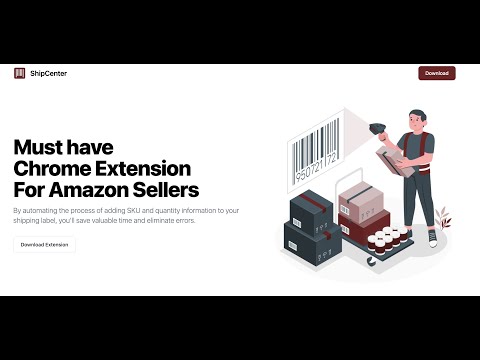
Must have Chrome Extension For Amazon Sellers! By automating the process of adding SKU and quantity information to your shipping label, you'll save valuable time and eliminate errors. How it works Get started with ShipCenter today and simplify your shipping process! Here's how it works: - Download and enable the ShipCenter extension on Chrome. - Create a shipment label for your customer in your Amazon Seller Central account. - Open the ShipCenter extension and confirm that it has accurately detected the items in your shipment. - Upload your shipment label to ShipCenter. Our system will automatically add the SKU and Quantity information to the label https://ship-center-web.pages.dev

Details

  • Version
    0.0.5
  • Updated
    April 14, 2024
  • Features
    Offers in-app purchases
  • Offered by
    Mert Nacakgedigi
  • Size
    371KiB
  • Languages
    English (United States)
  • Developer
    Email
    mert.nacakgedigi@gmail.com
  • Non-trader
    This developer has not identified itself as a trader. For consumers in the European Union, please note that consumer rights do not apply to contracts between you and this developer.

Privacy

The developer has disclosed that it will not collect or use your data.

This developer declares that your data is

  • Not being sold to third parties, outside of the approved use cases
  • Not being used or transferred for purposes that are unrelated to the item's core functionality
  • Not being used or transferred to determine creditworthiness or for lending purposes

Related

Amazon Transaction Itemizer

4.5

Add item names to each Amazon purchase on your 'transactions' page.

Amazon Wishlist Point

4.8

Add a function to display points on the Amazon wish list

SendHerePlz - Amazon shipping availability

4.7

Quick identification of Amazon products with shipping restrictions

Seller Toolset for Amazon and Walmart

5.0

Sourcing and Inventory Management Software for Amazon and Walmart Sellers

Shipup

5.0

The Shipup extension instantly displays shipping information to your support team every time they open a ticket in their CRM

Zegsu AliReviews

0.0

Import Amazon reviews into your Shopify store

Amazon Customer Service Helper

0.0

Provide canned responses when you message with customers in Amazon

AMZ Cart Export: Export your Amazon cart to CSV

4.6

Export your Amazon cart to a CSV spreadsheet, including their title, ASIN, price, quantity and URL of all your cart items.

Hide Amazon Cart

4.3

Hide the Amazon cart sidebar while browsing on Amazon.

プライスターchrome拡張機能

5.0

拡張機能をインストールしていただくと、Amazonの商品ページがパワーアップしてリサーチ・仕入れが加速します!

BuyFast - Amazon Flipkart Auto Checkout

4.7

One Click Auto Checkout for Amazon & Flipkart + Extra features

Amazon Warehouse ULTRA PRO MAX Auto Apply Bot

3.0

Ultra-fast Amazon job application automation with quantum-level performance

Amazon Transaction Itemizer

4.5

Add item names to each Amazon purchase on your 'transactions' page.

Amazon Wishlist Point

4.8

Add a function to display points on the Amazon wish list

SendHerePlz - Amazon shipping availability

4.7

Quick identification of Amazon products with shipping restrictions

Seller Toolset for Amazon and Walmart

5.0

Sourcing and Inventory Management Software for Amazon and Walmart Sellers

Shipup

5.0

The Shipup extension instantly displays shipping information to your support team every time they open a ticket in their CRM

Zegsu AliReviews

0.0

Import Amazon reviews into your Shopify store

Amazon Customer Service Helper

0.0

Provide canned responses when you message with customers in Amazon

AMZ Cart Export: Export your Amazon cart to CSV

4.6

Export your Amazon cart to a CSV spreadsheet, including their title, ASIN, price, quantity and URL of all your cart items.

Google apps