

SheetTree (Sheet Tree): Google Sheets Sidebar
4 ratings
)
Overview
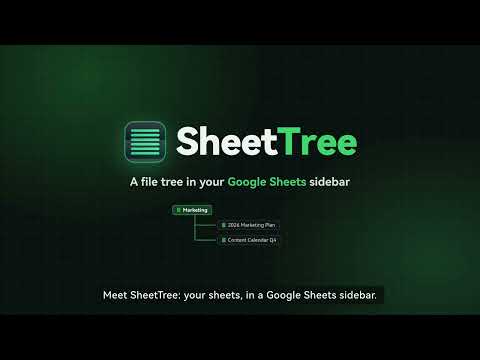
SheetTree (Sheet Tree): Sidebar workspace for Google Sheets. Instant 0ms switching across spreadsheets, tabs & Drive files.
The vertical sidebar, tab organizer & tree workspace for Google Sheets. SheetTree brings a clean, collapsible treeview sidebar workspace directly into Google Sheets, Docs, and Slides. Organize your daily spreadsheets into a structured list, switch between files instantly, and navigate complex workbooks with zero friction. Key Highlights: 📂 Unified Workspace Sidebar • Keep your essential Google Sheets, Docs, and Slides organized neatly in a collapsible left sidebar. • Create custom folders to group sheets by project, department, or client. • Pin frequently accessed files to the top for one-click access anytime. • Expand bottom sheet tabs directly in the sidebar to jump across tabs without horizontal scrolling. ⚡ In-Page Instant Switching • Switch between spreadsheets directly within your current window. • Zero full-page reload lag, eliminating white flashes and disruptive browser reloads. • Intelligent background resource management keeps your browser running smooth and fast. 🌐 Quick Discovery from Google Drive • Quickly detect and batch-import spreadsheets from Google Drive into your workspace list in seconds. • Seamlessly manage files across multiple Google accounts without mixing personal and business documents. 🔒 Local-First Privacy • 100% Client-Side: Your workspace hierarchy, pinned documents, and preferences stay strictly on your local browser. • No Tracking: SheetTree never inspects, collects, or transmits your spreadsheet cell content or private data. Bring focus and clarity back to your Google Sheets workflow with SheetTree. ━━━━━━━━━━━━━━━━━━━━━ ❓ FREQUENTLY ASKED QUESTIONS ━━━━━━━━━━━━━━━━━━━━━ Q: How is SheetTree different from Chrome Tab Groups? A: Chrome Tab Groups still consume heavy RAM and reload the entire web app when clicked. SheetTree embeds directly inside Google Sheets with an in-page virtual sandbox, providing 0ms in-place switching with dedicated sub-sheet tab navigation. Q: Can I use SheetTree with multiple Google accounts? A: Yes! SheetTree automatically identifies multi-account URLs (e.g. /u/0/, /u/1/) and keeps your workspace shortcuts aligned. Q: Does SheetTree edit or delete my files in Google Drive? A: Never. SheetTree only manages local sidebar shortcuts. Clearing the workspace has zero impact on your actual files in Google Drive.
5 out of 54 ratings
Details
- Version1.8.1
- UpdatedOctober 13, 2026
- FeaturesOffers in-app purchases
- Offered byMoonwalker
- Size153KiB
- Languages3 languages
- Developer
Email
santi.business1021@gmail.com - Non-traderThis developer has not identified itself as a trader. For consumers in the European Union, please note that consumer rights do not apply to contracts between you and this developer.
Privacy

This developer declares that your data is
- Not being sold to third parties, outside of the approved use cases
- Not being used or transferred for purposes that are unrelated to the item's core functionality
- Not being used or transferred to determine creditworthiness or for lending purposes