Item logo image for SheetMind AI : Lead Management and Automation

SheetMind AI : Lead Management and Automation

5.0(

1 rating

)
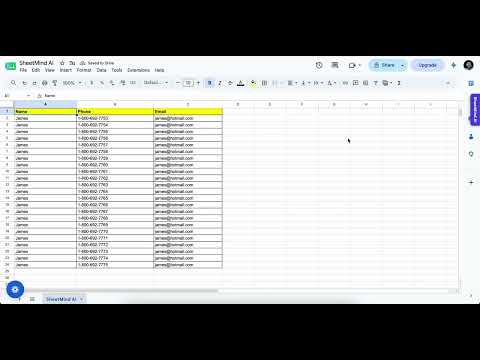
Item media 4 (screenshot) for SheetMind AI : Lead Management and Automation
Item video thumbnail
Item media 2 (screenshot) for SheetMind AI : Lead Management and Automation
Item media 3 (screenshot) for SheetMind AI : Lead Management and Automation
Item media 4 (screenshot) for SheetMind AI : Lead Management and Automation
Item video thumbnail
Item media 2 (screenshot) for SheetMind AI : Lead Management and Automation
Item media 3 (screenshot) for SheetMind AI : Lead Management and Automation
Item media 4 (screenshot) for SheetMind AI : Lead Management and Automation

Overview

Manage leads, track follow-ups, and automate your sales workflow. Turn Google Sheets into a simple lead management CRM.

SheetMind AI is a lead management and follow-up tool for Google Sheets. Manage your leads directly in the spreadsheet you already use. Organize leads into pipeline stages, add tags and notes, and create follow-up tasks so you know which leads need attention. Key features: • Lead Management Organize lead information directly in Google Sheets. • Sales Pipeline Create stages and track the status of each lead. • Follow-Ups Create follow-up tasks with dates, times, and follow-up types. • Contacts & Tags Add notes and tags to organize and find leads more easily. • WhatsApp Tools Send messages to leads using Quick Send and Bulk Send. WhatsApp Business API features are available where supported. • Google Sheets Tools Use SheetMind AI to organize and edit spreadsheet data with AI-assisted tools. • Dark Mode Use Google Sheets with a darker interface. SheetMind AI helps you keep your lead information organized and your follow-up process in one place, without requiring a separate CRM.

Details

  • Version
    1.0.55
  • Updated
    October 5, 2026
  • Offered by
    SheetMind AI LLC
  • Size
    162KiB
  • Languages
    English
  • Developer
    SHEETMIND AI LLC
    30 N Gould St Ste R Sheridan, WY 82801 US
    Email
    contact@sheetmindai.com
    Phone
    +1 917-814-3648
  • Trader
    This developer has identified itself as a trader per the definition from the European Union and committed to only offer products or services that comply with EU laws.
  • D-U-N-S
    148868587

Privacy

Manage extensions and learn how they're being used in your organization

SheetMind AI : Lead Management and Automation has disclosed the following information regarding the collection and usage of your data. More detailed information can be found in the developer's privacy policy.

SheetMind AI : Lead Management and Automation handles the following:

Personally identifiable information
Website content

This developer declares that your data is

  • Not being sold to third parties, outside of the approved use cases
  • Not being used or transferred for purposes that are unrelated to the item's core functionality
  • Not being used or transferred to determine creditworthiness or for lending purposes

Support

For help with questions, suggestions, or problems, visit the developer's support site

Related

No AI Mode for Google

5.0

Removes Google AI Mode tab and AI Overview section with toggle option.

Sheets Helper

5.0

An extension that assists with Google Sheets formulas

Google Sheets Dark Mode

5.0

Turn on dark mode for Google Sheets on desktop — a comfortable dark theme that cuts glare during long spreadsheet sessions.

Spreadsheet Copy Pro - Google Sheets Enhancer

1.0

Copy, paste, and edit content from restricted Google Sheets with one click. Unlock the full potential of your spreadsheets.

Google Sheets Crosshair

5.0

Adds row and column crosshair highlights to Google Sheets without modifying spreadsheet data.

Avery Label Maker - Google Sheetsâ„¢, CSV & Excel

2.0

Paste Google Sheetsâ„¢, Microsoft Excel, or CSV rows, preview Avery-compatible layouts, then design and print labels.

Spex – Excel Shortcuts for Google Sheets™

5.0

Use Excel-style shortcuts in Google Sheetsâ„¢ with on-screen KeyTips, Sheets-native commands, and customizable keyboard workflows.

Google Sheets Tabs on top

4.5

Move Google Sheets tabs to the top for more intuitive navigation. After installation, please refresh the Google Sheets page.

Google Docs Markdown Viewer

5.0

Renders markdown files viewed in Google Docs with syntax highlighting, dark mode, and mermaid diagrams.

Google Sheetsâ„¢ Dark Mode

2.9

Activate Google Sheets Dark Mode for improved viewing. Enjoy sheets darkmode and comfort with the spreadsheets dark mode feature.

Dark Night - Docs, Sheets, Slides, and Apps Script Dark Mode

4.0

A toggleable, high-contrast dark mode for Google Docs, Sheets, Slides, and Apps Script

Superjoin - AI Assistant for Google Sheets

5.0

Your AI genie inside Google Sheets. Clean data, build dashboards, write formulas & automate anything with just plain English

No AI Mode for Google

5.0

Removes Google AI Mode tab and AI Overview section with toggle option.

Sheets Helper

5.0

An extension that assists with Google Sheets formulas

Google Sheets Dark Mode

5.0

Turn on dark mode for Google Sheets on desktop — a comfortable dark theme that cuts glare during long spreadsheet sessions.

Spreadsheet Copy Pro - Google Sheets Enhancer

1.0

Copy, paste, and edit content from restricted Google Sheets with one click. Unlock the full potential of your spreadsheets.

Google Sheets Crosshair

5.0

Adds row and column crosshair highlights to Google Sheets without modifying spreadsheet data.

Avery Label Maker - Google Sheetsâ„¢, CSV & Excel

2.0

Paste Google Sheetsâ„¢, Microsoft Excel, or CSV rows, preview Avery-compatible layouts, then design and print labels.

Spex – Excel Shortcuts for Google Sheets™

5.0

Use Excel-style shortcuts in Google Sheetsâ„¢ with on-screen KeyTips, Sheets-native commands, and customizable keyboard workflows.

Google Sheets Tabs on top

4.5

Move Google Sheets tabs to the top for more intuitive navigation. After installation, please refresh the Google Sheets page.

Google apps