

Share Google Contacts with Shared Contacts®

Pangkalahatang-ideya
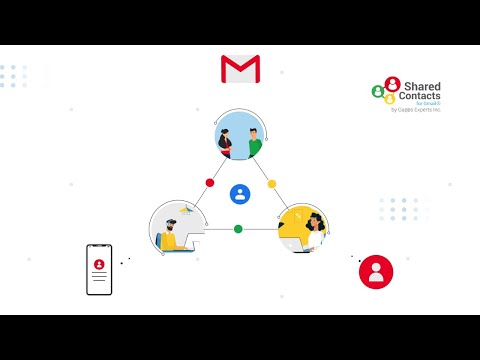
Share Google Contacts like you share Google Docs with Gmail and Google Workspace (G Suite) users using Shared Contacts for Gmail®.
With Shared Contacts for Gmail®, you can: → Share Gmail Contact groups with specific users or groups of users → Share Google Contacts between accounts or with family, friends, colleagues etc. → Modify or add shared contacts in the shared groups → Shared contacts appear in search and show-up in Gmail autocomplete → Unlimited sharing capacity → Synchronization with mobiles/tablets and Outlook's "My Contacts" → Permissions management (Read Only/Can Edit/Can Delete/Can Share) → Create Gmail Shared Distribution List → Add, edit and access Shared Google Contacts from any device → Instantly sync shared contacts across all devices like phone, tablet, laptop, desktop and other smart devices → Easily Integrate with Google Contact lists → Share contacts with other domain users and free Gmail users Shared Contacts for Gmail® lets you share Google Contact lists or groups. You can share your Gmail contacts or share Google Contacts with other Gmail & Google Workspace (G Suite) users in a matter of seconds. If you use Google Services and Google Contacts as your contacts manager then Shared Contacts for Gmail® is especially designed for you, to give you enhanced contact sharing capabilities. You can create as many contact groups as you like and share your Google contact groups with as many Gmail and Google Workspace (G Suite) users as you like. Not only this, it also lets you define access permissions for the shared Google Contact labels. These permissions include view only access, editing permission, sharing permission, and permission to delete Google Contacts. You can also share Gmail contacts with other domain users and even free Gmail users in a matter of a few clicks. You can also backup your Google Contacts with our app. In addition, our intuitive interface and strong integration helps you edit and share contacts directly from Gmail and Google Contacts, without having to login to your app dashboard. We have built Shared Contacts for Gmail® in a way that can make it extremely easy for you to share Google Contacts with any Gmail and Google Workspace (G Suite) users. Simply install our app and start sharing your Google Contact Labels.
4.2 sa 532 rating
Mga Detalye
- Bersyon2023.4.19
- Na-updateAbril 21, 2023
- Laki1.57MiB
- Mga WikaEnglish
- DeveloperStephane CohenWebsite
14 Rue Jean Jaurès Puteaux 92800 FREmail
support@getsharedcontacts.comTelepono
+33 6 26 09 15 69 - TraderTinukoy ng developer na ito ang kanyang sarili bilang trader ayon sa kahulugan mula sa European Union at nakatuon na mag-alok lang ng mga produkto o serbisyo na sumusunod sa mga batas ng EU.
Privacy

Ipinapahayag ng developer na ito na ang iyong data ay
- Hindi ibinebenta sa mga third party na hindi kabilang sa mga naaprubahang sitwasyon ng paggamit
- Hindi ginagamit o inililipat para sa mga layuning hindi nauugnay sa pangunahing functionality ng item
- Hindi ginagamit o inililipat para tukuyin ang pagiging creditworthy o para sa mga layunin ng pagpapautang
Suporta
Para sa tulong sa mga tanong, suhestyon, o problema, pakibuksan ang page na ito sa iyong desktop browser