

Share Google Contacts with Shared Contacts®

Übersicht
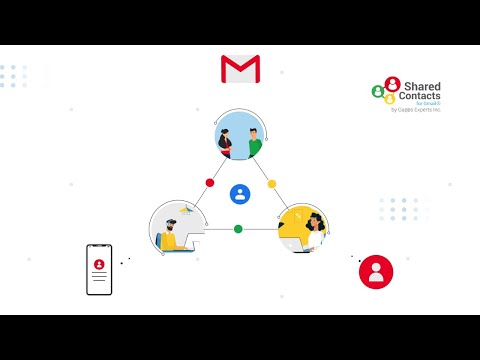
Share Google Contacts like you share Google Docs with Gmail and Google Workspace (G Suite) users using Shared Contacts for Gmail®.
With Shared Contacts for Gmail®, you can: → Share Gmail Contact groups with specific users or groups of users → Share Google Contacts between accounts or with family, friends, colleagues etc. → Modify or add shared contacts in the shared groups → Shared contacts appear in search and show-up in Gmail autocomplete → Unlimited sharing capacity → Synchronization with mobiles/tablets and Outlook's "My Contacts" → Permissions management (Read Only/Can Edit/Can Delete/Can Share) → Create Gmail Shared Distribution List → Add, edit and access Shared Google Contacts from any device → Instantly sync shared contacts across all devices like phone, tablet, laptop, desktop and other smart devices → Easily Integrate with Google Contact lists → Share contacts with other domain users and free Gmail users Shared Contacts for Gmail® lets you share Google Contact lists or groups. You can share your Gmail contacts or share Google Contacts with other Gmail & Google Workspace (G Suite) users in a matter of seconds. If you use Google Services and Google Contacts as your contacts manager then Shared Contacts for Gmail® is especially designed for you, to give you enhanced contact sharing capabilities. You can create as many contact groups as you like and share your Google contact groups with as many Gmail and Google Workspace (G Suite) users as you like. Not only this, it also lets you define access permissions for the shared Google Contact labels. These permissions include view only access, editing permission, sharing permission, and permission to delete Google Contacts. You can also share Gmail contacts with other domain users and even free Gmail users in a matter of a few clicks. You can also backup your Google Contacts with our app. In addition, our intuitive interface and strong integration helps you edit and share contacts directly from Gmail and Google Contacts, without having to login to your app dashboard. We have built Shared Contacts for Gmail® in a way that can make it extremely easy for you to share Google Contacts with any Gmail and Google Workspace (G Suite) users. Simply install our app and start sharing your Google Contact Labels.
4,2 von 532 Bewertungen
Details
- Version2023.4.19
- Aktualisiert21. April 2023
- Größe1.57MiB
- SprachenEnglish
- EntwicklerStephane CohenWebsite
14 Rue Jean Jaurès Puteaux 92800 FRE-Mail
support@getsharedcontacts.comTelefon
+33 6 26 09 15 69 - HändlerDieser Entwickler hat sich gemäß der Definition der Europäischen Union als Händler deklariert und sich verpflichtet, nur Produkte oder Dienstleistungen anzubieten, die den Gesetzen der EU entsprechen.
Datenschutz

Dieser Entwickler erklärt, dass deine Daten
- nicht an Dritte verkauft werden, außer in den genehmigten Anwendungsfällen
- nicht für Zwecke genutzt oder übertragen werden, die nichts mit der Hauptfunktionalität des Artikels zu tun haben
- nicht zur Ermittlung der Kreditwürdigkeit oder für Darlehenszwecke verwendet oder übertragen werden
Support
Wenn du Hilfe bei Fragen, Vorschlägen oder Problemen benötigst, öffne diese Seite in deinem Desktop-Browser