

Share Google Contacts - SharedContacts.com

Overview
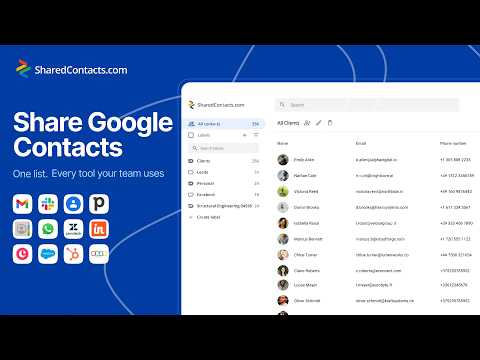
Share Google Contacts with your team in seconds. Boost collaboration, cut CRM costs, keep everyone working from one shared database.
Share Google Contacts with your team and keep them synchronized across Gmail and Google Workspace. Small startups, large companies, and teams across every industry trust SharedContacts.com for their collaboration needs. Keep contact information synchronized across your organization and with external users or domains without spreadsheets and manual work. Benefits Shared Contacts transforms how your team manages contact information, delivering measurable improvements in efficiency and collaboration. Here's what you gain: - Save time and improve productivity - Work as a team with the same contact list - Access shared contacts from any device - Any team member can add and update shared contacts - Reduce errors and eliminate duplicate or outdated contact information - Automatic synchronization keeps everyone in sync. Key Features Built specifically for Google Workspace, the extension provides everything you need to manage team contacts in one place: - Organize contacts into shared labels and categories - Share contact lists with selected team members and domain groups - Manage permissions and access control: view, edit, and reshare - Share directory and LDAP contacts with your team - Automatic synchronization across users and devices - Easy-to-use interface and simple dashboard - Lightweight desktop app and Chrome extension - Work from the Google Contacts app - Share and access contacts on desktop and mobile - Automatic updates when contacts are edited - Integrates with Gmail, Calendar, Meet, and other Google Workspace apps. Perfect for: - Companies using Google Workspace - Teams that need contact sharing without full CRM complexity - Small businesses centralizing contact management - Sales teams sharing client databases - Customer support teams managing customer information - Marketing teams coordinating campaigns - HR departments organizing employee contacts - Any team requiring shared access to contacts. Privacy & Security Your data security is our priority. We only access the contacts you explicitly choose to share. The extension uses Google's secure authentication and stores data according to Google Workspace security standards. The app is built using Google’s secure authentication and privacy standards. No data is sold to third parties and only authorized team members can access shared lists. How to Get Started After installation, click the extension icon to open the Shared Contacts dashboard. From there, you can create new shared contact lists, manage existing ones, and invite team members. For video tutorials and detailed documentation, visit our website. Support Contact us: info@sharedcontacts.com Help center: https://sharedcontacts.com/faq for all app-related questions. YouTube: https://www.youtube.com/@sharedcontacts Transform the way your team manages contacts. Install Shared Contacts today!
5 out of 512 ratings
Details
- Version0.0.36
- UpdatedSeptember 4, 2026
- FeaturesOffers in-app purchases
- Size605KiB
- Languages48 languages
- DeveloperWebsite
Email
info@sharedcontacts.com - Non-traderThis developer has not identified itself as a trader. For consumers in the European Union, please note that consumer rights do not apply to contracts between you and this developer.
Privacy

Share Google Contacts - SharedContacts.com has disclosed the following information regarding the collection and usage of your data. More detailed information can be found in the developer's privacy policy.
Share Google Contacts - SharedContacts.com handles the following:
This developer declares that your data is
- Not being sold to third parties, outside of the approved use cases
- Not being used or transferred for purposes that are unrelated to the item's core functionality
- Not being used or transferred to determine creditworthiness or for lending purposes