

SFDC AI Inspect - Salesforce Quick Inspector

Overview
Salesforce AI inspector & navigator - Press Ctrl+I or click icon to open
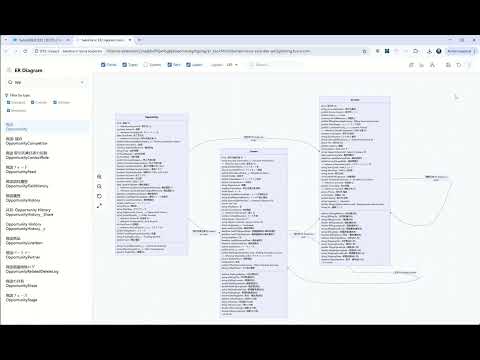
SFDC AI Inspect is a modern, high-performance Chrome extension built for Salesforce developers and admins. It helps you inspect, query, debug, and analyze your org with less clicking and faster outcomes. 🚀 KEY FEATURES: 🤖 AI Agent Workspace Natural Language for Salesforce: Ask questions and get actionable answers. 75+ LLM Provider Ecosystem: Connect through Models.dev to 75+ model providers, including GPT, Claude, Gemini, and more. No Vendor Lock-in: Switch providers or models anytime for cost/performance fit. Local Model Ready: Supports local model workflows (for example Ollama) in addition to cloud providers. Language-aware Replies: AI responses follow your configured app language. Easy Setup: Configure once, then reuse across AI-enabled modules. 📊 Data Expert Excel-like UI: Query and manage data in a clean, responsive table. Bulk Operations: Insert, Update, Upsert, and Delete records efficiently. SOQL Helper: Build and run SOQL faster with formatting and field helpers. AI to SOQL: Use natural language to generate SOQL so even team members who do not know SOQL can still maintain data safely and quickly. Export: Download results to CSV for sharing and analysis. 📜 Log Expert + AI Analysis Real-time Monitoring: Fetch and review recent debug logs quickly. Advanced Filtering: Narrow logs by user, status, time, and more. AI Summary: Let AI highlight likely root causes, evidence, and remediation steps. 🛠️ Architecture & Documentation Flow Analysis: Explore flow logic with clearer structure. AI Architecture Assistance: Use LLMs to analyze object relationships and generate architecture-oriented outputs. Doc Assistance: Generate architecture-oriented outputs with AI support. 🚀 Quick Navigation Palette Hotkey: Press Ctrl+I (Cmd+I on Mac) anywhere in Salesforce. Search & Jump: Find setup links, objects, Apex classes, pages, and tools instantly. Simple Workflow: Type a keyword and open what you need in seconds. 🔍 Record Quick Inspector Instant Access: Open record details directly from the current page. Deep Insight: View field values, including important system fields. Quick Edit: Update values without navigating through multiple Salesforce screens. 🔌 REST Tool Direct API Testing: Send REST requests to Salesforce endpoints quickly. Fast Debugging: Inspect request/response payloads in one place. Practical for Daily Work: Great for API validation, integration checks, and troubleshooting. 🕸️ ER Diagram Generator Visualize Data Models: Generate ER diagrams from selected Salesforce objects. Mermaid-based Output: Clean diagrams that are easy to review and share. Architecture Friendly: Useful for design reviews and documentation. 🔒 PRIVACY & SECURITY: - Operates entirely within your browser context. - Communicates only with your Salesforce instance. - No data is stored or transmitted to external servers. - Uses secure session handling via chrome.cookies.
0 out of 5No ratings
Details
- Version0.1.3
- UpdatedFebruary 16, 2026
- Offered byexia.huang
- Size1.38MiB
- LanguagesEnglish
- Developer
Email
exia.huang@gmail.com - Non-traderThis developer has not identified itself as a trader. For consumers in the European Union, please note that consumer rights do not apply to contracts between you and this developer.
Privacy

This developer declares that your data is
- Not being sold to third parties, outside of the approved use cases
- Not being used or transferred for purposes that are unrelated to the item's core functionality
- Not being used or transferred to determine creditworthiness or for lending purposes