


Overview
Records your browser session and instantly generates BPMN 2.0 process diagrams AND actionable insights.
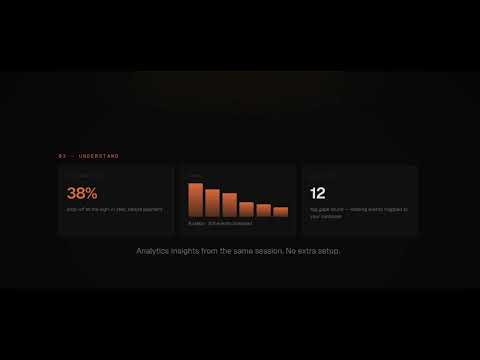
Sevenda - Turn Browser Sessions into BPMN Process Diagrams and Analytics Documentation Record what you do in the browser. Get a BPMN 2.0 process diagram in seconds. Sevenda is a Chrome DevTools extension for Business Analysts, Digital Analysts, and QA professionals who spend hours manually documenting processes, user journeys, and tracking implementations. Press Record, perform your workflow, press Stop — Sevenda generates a professional BPMN 2.0 diagram or an analytics audit report automatically, using AI. No more drawing flowcharts from memory. No more copy-pasting network requests into spreadsheets. No more guessing what the tracking layer actually does. 🎬 HOW IT WORKS: Open Chrome DevTools → Sevenda panel and Press "Start Recording" Perform your business workflow (checkout flow, login journey, form submission, onboarding sequence — anything), Press "Stop", Press "Generate" — Sevenda sends your recorded session to Claude AI (using your own API key) and returns a ready-to-use BPMN 2.0 diagram or an analytics report in 15–30 seconds That's it. Your process is documented. 📐 BPMN MODE — For Business Analysts and Process Consultants: Transform any browser session into a structured BPMN 2.0 process diagram rendered with Camunda's bpmn-js engine. Sevenda detects multi-pool processes, infers exclusive gateways for decision points (authentication, payment, consent flows), and produces valid, importable BPMN XML. 🔹 Generates collaboration diagrams with lanes and pools 🔹 Infers ExclusiveGateways for branching logic (auth checks, cart states, consent) 🔹 Validates and auto-repairs the XML before rendering (20-rule repair engine) 🔹 Iterative refinement via natural language chat ("add an error boundary event", "split the payment pool into two lanes") 🔹 Export as .bpmn, .svg, .png, or .docx 🔹 Dedicated Camunda export: a .bpmn file enriched with Camunda-specific attributes, ready to open in Camunda Modeler 🔹 Export to Jira as a structured issue with BPMN attachment 🔹 Export to Confluence as a formatted page with embedded diagram 🔹 Generates a Technical-Functional Analysis report (.docx) with tracking coverage, gap analysis, and remediation recommendations 📊 INSIGHTS MODE — For Digital Analysts and Marketing Teams: Capture and decode your analytics tracking layer in real time. Sevenda intercepts dataLayer pushes, decodes GA4 hits, maps Consent Mode v2 signals, and runs a PII leak scan — all from a single recording session. 🔹 Live capture of GTM dataLayer events 🔹 GA4 hit decoding (event name, parameters, user properties) 🔹 Consent Mode v2 state tracking (analytics_storage, ad_storage, and more) 🔹 PII Leak Detection: identifies personal data (email, phone, fiscal codes) leaking into analytics parameters 🔹 Generates an Analytics Report (.docx) with event inventory, consent compliance summary, and data quality score 🏷️ GOOGLE TAG MANAGER INTEGRATION: From the generated Tag Plan you can push tag configurations directly into your own Google Tag Manager container. The integration is entirely optional and always user-initiated: you sign in with your Google account, review what will be created, and confirm the push. Sevenda uses the Tag Manager API only to read your container structure and write the tags you approve. Your Google credentials are never sent to Sevenda Lab, and use of Google user data complies with the Chrome Web Store Limited Use requirements. 🔑 BRING YOUR OWN KEY — No Subscription Lock-in: Sevenda uses your Anthropic API key directly. There are no seats and no monthly SaaS fees for the AI layer: your prompts and your recorded sessions go from your browser straight to Anthropic, never through Sevenda Lab servers. You pay Anthropic directly for what you use — typically $0.10–0.50 per diagram generation. 🔒 PRIVACY BY DESIGN: Recording is 100% opt-in. Sevenda does not monitor, intercept, or store anything until you press Record. When you do record, data stays in your browser's local IndexedDB unless you explicitly share a session with a team workspace. Recording is always explicit — nothing is captured until you press "Start Recording" in the DevTools panel The network monitor is injected only into the tab being recorded, only when recording is active Sensitive fields (password, token, apiKey, card number, CVV, OTP, PIN, session ID) are replaced with [REDACTED] before any data is stored PII detected in analytics traffic is stored masked (e.g. ma***@example.com), never in clear text Local sessions are deleted automatically according to your plan's retention period — from 7 days up to unlimited on Enterprise plans — and in any case beyond the 100 most recent sessions. A conservative 30-day default applies when you are signed out No telemetry, no usage analytics, no crash reporting, no advertising Full privacy policy: https://sevenda.dev/privacy.html 🖥️ RUNS IN YOUR BROWSER: The BPMN renderer (bpmn-js by Camunda), the document generator (docx.js), and all fonts are bundled inside the extension. No CDN calls, no remote scripts, no external dependencies at runtime. Works on any website — internal tools, SaaS platforms, e-commerce checkouts, banking flows, government portals — if it runs in Chrome, Sevenda can document it. 👥 WHO USES SEVENDA: 🔹 Business Analysts documenting AS-IS processes for digital transformation projects — instead of interviewing stakeholders and drawing diagrams manually, record the actual workflow and get a BPMN diagram in seconds. 🔹 Process Consultants mapping client systems during discovery phases — record the client's workflow during a screen share, generate the diagram on the spot, export to Confluence before the meeting ends. 🔹 Digital Analysts and Tag Managers auditing tracking implementations — record a user journey, get a full inventory of GA4 events, consent states, and a PII leak report in one click. 🔹 QA Engineers documenting test flows — record a regression test path and export a structured process diagram as a Jira issue with a single button press. 🔹 UX Researchers mapping user journeys — capture real navigation patterns and turn them into process flows without manual note-taking. 🤝 TEAM WORKSPACES: 🔹 Share specific sessions with teammates 🔹 Annotate shared sessions with comments 🔹 Build a shared library of documented processes 🔹 Shared sessions are stored in EU-hosted infrastructure (Supabase, European Union) with row-level security, and follow your plan's retention period Team features are entirely optional. The full recording and generation workflow works without any account, and nothing leaves your device unless you choose to share it. ❓ FAQ: Do I need an Anthropic API key? Yes, for AI generation (BPMN and reports). Sevenda uses a bring-your-own-key model — you connect your own Anthropic key in Settings. This means no subscription markup and no vendor lock-in. A typical generation costs $0.10–0.50 depending on session length. Does Sevenda work on internal tools and intranets? Yes. Recording and generation run locally in your browser, so Sevenda works on any URL — including internal tools, localhost, and VPN-gated systems. Recorded sessions are not routed through Sevenda Lab infrastructure unless you explicitly share them with a team workspace. Can I export to tools I already use? Yes. Exports include: BPMN XML (importable into Camunda Modeler, Signavio, Lucidchart, Draw.io, and any BPMN 2.0-compatible tool), SVG, PNG, Word document (.docx), Confluence page, and Jira issue. Is my data safe when I use Insights Mode on a site with real user data? Sevenda is intended for use on your own systems and test environments. For production sites containing real user personal data, you are responsible for ensuring you are authorized to record. Sevenda's PII redaction and masking features reduce exposure, but they are not a substitute for proper authorization. Does Sevenda slow down my browser? No. The extension is idle when not recording. The network monitor is injected only during active recording sessions. All processing happens locally — there are no background sync cycles or polling loops. Can I refine the generated diagram? Yes. After generation, a chat interface lets you request modifications in natural language: "merge the authentication pool with the checkout pool", "add a timer event before the confirmation email", "split the payment error path into two branches". The diagram updates in place. ⚙️ REQUIREMENTS: Chrome 102 or later An Anthropic API key (get one at console.anthropic.com — free tier available) No other accounts required for core functionality 🌍 Supported Languages: English · Italiano · Español · Français Version: v1.0.0 Website: https://sevenda.dev Support: hello@sevenda.dev Privacy Policy: https://sevenda.dev/privacy.html
0 out of 5No ratings
Details
- Version1.0.1
- UpdatedOctober 2, 2026
- FeaturesOffers in-app purchases
- Size932KiB
- LanguagesEnglish
- DeveloperDARIO CALI'Website
V.le della Grande Muraglia, 95/18 18 Roma, RM 00144 ITEmail
hello@sevenda.devPhone
+39 388 858 6217 - TraderThis developer has identified itself as a trader per the definition from the European Union and committed to only offer products or services that comply with EU laws.
Privacy

Sevenda has disclosed the following information regarding the collection and usage of your data. More detailed information can be found in the developer's privacy policy.
Sevenda handles the following:
This developer declares that your data is
- Not being sold to third parties, outside of the approved use cases
- Not being used or transferred for purposes that are unrelated to the item's core functionality
- Not being used or transferred to determine creditworthiness or for lending purposes
Support
For help with questions, suggestions, or problems, visit the developer's support site