

Sessionat - Tab & Session Manager with Cloud Sync

Overview
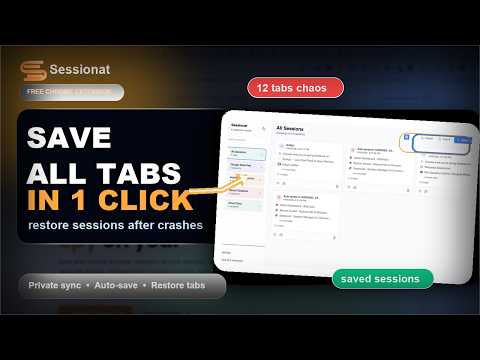
Save and restore browser sessions across devices. Backup tabs locally or to your private cloud. Built for 100+ tabs.
Sessionat - Save and restore your tab sessions across devices. Built for people who live in 50+ tabs. Save your current window with one click, restore an old session in another, or back up your full session history to your private cloud — your tabs stay yours. ★ KEY FEATURES Save and restore sessions Save all open tabs in one click. Restore them later exactly as you left them, on any computer. Cloud sync — optional, private Sync sessions to your private Sessionat cloud. 1 credit per new session, free updates and restores. Local-only mode is fully supported. Auto-save without spam Configurable triggers: time interval, tab change %, or both. Notifications off by default. Your thresholds are actually respected. Recover from Chrome crashes Lost a window? Closed Chrome by accident? Open the popup and your last 24 hours of sessions are right there. Search your tab history Find that one tab from last Tuesday. Sessions are searchable by keyword, date, or domain. Import & export Drop in a JSON export from another extension. Auto-detects duplicates by content hash so you don't get doubles. ★ PRIVACY-FIRST DESIGN • Everything stored locally in IndexedDB by default • Cloud sync is opt-in and explicitly gated behind a personal API key • No analytics, no telemetry, no tracking pixels • Open feedback channel: leave a review, we read every one ★ WHY SESSIONAT ✅ Unlimited free local sessions — no artificial restrictions ✅ Private cloud sync across devices (Pro) ✅ Local-first by default — your data stays on your device unless you opt in ✅ Regular updates — new features every month ✅ Community driven — built on user feedback ✅ Lightning fast — optimized for 100+ tabs ✅ Works on Chromium-based browsers ★ A NOTE ON AI FEATURES AI tools (semantic search, research, chat across your saved sessions) live separately at sessionat.com — they are not part of this extension. The extension stays focused on what it's good at: managing your tabs, fast and quietly. If you want AI search across your saved sessions, sync them to sessionat.com and use the web app. ★ RECENT UPDATES VERSION 4.3.1 (current) • Patch release: fixed a service-worker error during cloud sync • Fresh-install detection: extension now offers to restore from cloud first when local is empty but cloud has existing sessions VERSION 4.3.0 • Cloud Sync added — back up sessions to your private cloud, restore on any device • AI features moved to sessionat.com (the extension itself is now focused on tab management) • Smaller, faster popup VERSION 4.2.0 • Full control over auto-save: turn it off, pick time/change triggers, every number is adjustable • Notifications off by default, opt-in by severity • No more saves when nothing changed — thresholds respected • Import/export round-trip now keeps auto/manual distinction VERSION 4.1.1 • Improvements to the previous AI Workspace (this UI was removed in 4.3.0 — see note above) VERSION 4.0.3 • Earlier AI Workspace, natural language search, AI chat assistant (removed in 4.3.0 — moved to web) VERSION 3.3.4 • Removed session limits • Smart change detection • Hybrid save mode • Quiet hours • Dark mode enhancements
4.1 out of 540 ratings
Details
- Version4.3.1
- UpdatedMay 13, 2026
- FeaturesOffers in-app purchases
- Size237KiB
- LanguagesEnglish
- Developer
- Non-traderThis developer has not identified itself as a trader. For consumers in the European Union, please note that consumer rights do not apply to contracts between you and this developer.
Privacy

Sessionat - Tab & Session Manager with Cloud Sync has disclosed the following information regarding the collection and usage of your data. More detailed information can be found in the developer's privacy policy.
Sessionat - Tab & Session Manager with Cloud Sync handles the following:
This developer declares that your data is
- Not being sold to third parties, outside of the approved use cases
- Not being used or transferred for purposes that are unrelated to the item's core functionality
- Not being used or transferred to determine creditworthiness or for lending purposes
Support
For help with questions, suggestions, or problems, please open this page on your desktop browser