


Overview
Analyze Google and Bing results and turn the outline into an original article with your own OpenRouter key.
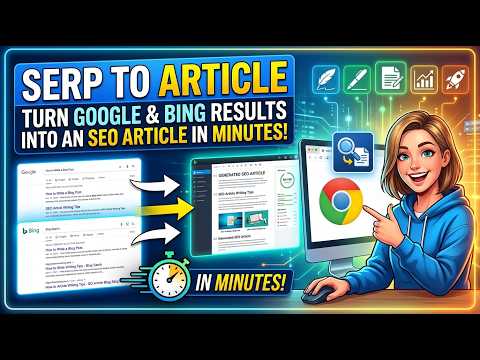
SERP to Article helps you write an original, SEO-ready article from the search results you are already looking at. Open a search on Google or Bing, open the side panel and follow three steps: 1. Analysis • Reads the results page you opened: the top organic results, the "People also ask" questions and the related searches. It never runs searches by itself. • Measures the top pages (length, sections, headings, images, meta title and meta description) to show what ranks. • With one click, AI selects the keywords that matter: a main keyword, secondary keywords, long-tail keywords and topics. 2. Outline • Choose your own article topic; the search query stays the main keyword. • The AI proposes a title and an outline, and gives each section its own keywords. • Edit headings, subheadings, notes and keywords before anything is written. 3. Article • The article is written section by section and appears as it is generated. • A live report shows which keywords are used, partly used or missing, and whether the main keyword is in the title, the first paragraph and the subheadings. • Copy the article as Markdown or HTML, or save the keywords, questions and article to a file. Your key, your costs AI features use your own OpenRouter API key, so you choose the model and pay the provider directly. Before every AI request, the extension shows an estimated cost. The analysis of the results works without a key. Privacy There is no server, account or analytics. Your data stays in your browser. When you use AI, the extension sends structured data (query, titles, meta descriptions, headings, questions, keywords and your outline) directly to OpenRouter; the full text of competing pages is never sent. Also included: English and Romanian interface, a reset button to start over, and a small, closable recommendation for SEO Content Architect, another product by the same developer, shown after an article is ready. ⚑
0 out of 5No ratings
Details
- Version1.1.0
- UpdatedOctober 26, 2026
- Size71.82KiB
- Languages2 languages
- DeveloperWebsite
Email
admin@ns5.club - Non-traderThis developer has not identified itself as a trader. For consumers in the European Union, please note that consumer rights do not apply to contracts between you and this developer.
Privacy

SERP to Article has disclosed the following information regarding the collection and usage of your data. More detailed information can be found in the developer's privacy policy.
SERP to Article handles the following:
This developer declares that your data is
- Not being sold to third parties, outside of the approved use cases
- Not being used or transferred for purposes that are unrelated to the item's core functionality
- Not being used or transferred to determine creditworthiness or for lending purposes