

Separate Window
345 件の評価
)

概要
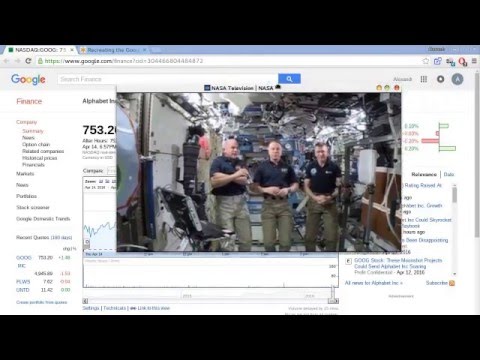
Derive an arbitrary area of a page in a separate popup window
Select any element on the page in a separate popup window.Watch the video, play the games in a popup window, separate the informers, widgets. Save to bookmarks for quick access. For transition from the tab to the window and back you don't need to reload the page. How to use: - Click on the extension icon; - Press the "Select" button; - Put the cursor on the item to separate. - !IMPORTANT: Rotation the mouse wheel can increase the selection area. - Press the left mouse button and the selected area will be displayed in a separate window. For next visits to the page, the previously selected item(if present) will be marked with an icon in the upper left corner, clicking on the object will be putting in a separate window.. To save the location and size of the window, you must: 1. Place the window in the desired location; 2. Stretch the window to the required size; 3. Click on the 2nd button on the panel in the upper right corner; 4. Now the window will always appear in the selected location with the specified dimensions. 5. To delete the saved dimensions, press the button again; Added features: - take a snapshot of the selected window; - save to bookmarks (in the folder "Separate windows"); - get a link to the window (by clicking on which, when the extension is installed, the window will automatically open). If there are several identical elements on the page, the first in order will be selected.
5 点満点で 4.7345 件の評価
詳細
- バージョン0.9.5
- 更新:2019年4月7日
- 提供元Alek
- サイズ98.43KiB
- 言語2 言語
- デベロッパー
メール
myfilterapp@gmail.com - 非取引業者このデベロッパーは取引業者として申告していません。EU 加盟国の消費者とこのデベロッパーとの間に締結された契約には、消費者の権利が適用されません。
プライバシー

サポート
質問や提案、問題がある場合は、パソコンのブラウザでこのページを開いてください