


Overview
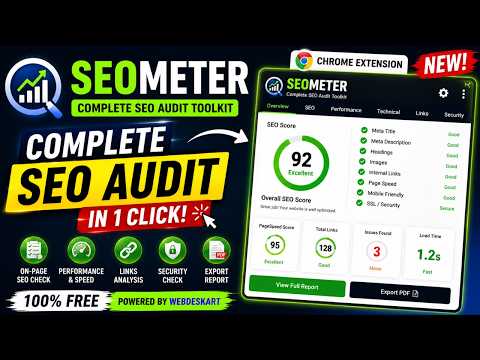
Enterprise-grade SEO audit toolkit: on-page audit, technical SEO, schema analysis, Core Web Vitals, AI SEO, PDF reports.
✅ SEOMeter – Complete SEO Audit Toolkit SEOMeter is an all-in-one SEO auditing extension that helps you analyze any webpage in seconds. Whether you're an SEO professional, digital marketer, website owner, developer, or content creator, SEOMeter provides detailed insights to improve your website's search engine performance without requiring any external tools. With a single click, SEOMeter scans the current webpage and generates a comprehensive SEO report covering essential on-page and technical SEO factors. It analyzes page titles, meta descriptions, headings, canonical tags, robots directives, Open Graph tags, Twitter Cards, structured data (Schema.org), internal and external links, image optimization, security settings, and many other important ranking signals. The extension also evaluates technical SEO elements such as Core Web Vitals, page performance, HTTPS implementation, indexing directives, and overall page health. It helps identify missing SEO elements, optimization opportunities, and common issues that may affect search engine visibility. ✅ Key Features • Complete On-Page SEO Audit • Meta Tags Analysis • Heading Structure Checker (H1–H6) • Schema Markup Detection & Validation • Internal & External Link Analysis • Image SEO Audit (Alt Text & Optimization) • Core Web Vitals & Performance Overview • Technical SEO Checks • Security & HTTPS Analysis • AI SEO Insights & Recommendations • Professional PDF Report Export • Fast, lightweight, and easy to use ✅Why Install SEOMeter? Instead of using multiple SEO tools, SEOMeter combines everything into one powerful browser extension. It provides instant insights while you browse any website, making SEO analysis faster and more efficient. Whether you're auditing your own website, researching competitors, or optimizing client projects, SEOMeter helps you quickly identify issues and discover opportunities to improve rankings, traffic, and overall website quality. No complicated setup is required—simply open any webpage, launch SEOMeter, and receive a complete SEO audit within seconds.
5 out of 53 ratings
Details
- Version1.0.1
- UpdatedJuly 30, 2026
- Size340KiB
- LanguagesEnglish
- DeveloperWebsite
Email
webdeskart@gmail.com - Non-traderThis developer has not identified itself as a trader. For consumers in the European Union, please note that consumer rights do not apply to contracts between you and this developer.
Privacy

This developer declares that your data is
- Not being sold to third parties, outside of the approved use cases
- Not being used or transferred for purposes that are unrelated to the item's core functionality
- Not being used or transferred to determine creditworthiness or for lending purposes
Support
For help with questions, suggestions, or problems, please open this page on your desktop browser