


Overview
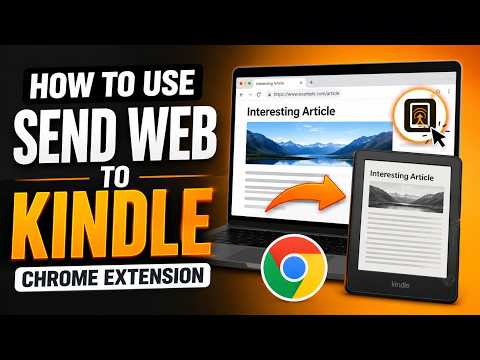
Convert web to EPUB and send to Kindle 100% privately. Live-preview, edit, auto-generate Table of Contents, and download EPUB.
★ 100% Client-Side Processing: No content servers, no tracking. Send Web to Kindle is a lightweight, secure Chrome Extension that converts readable web articles, blog posts, or selected text into clean EPUB files directly in your browser and sends them to your Kindle reader with one click. ★ Google Verified Developer: The extension has passed Google's strict OAuth Security Assessment for the Gmail sending API. Your credentials and articles are processed entirely locally on your device, bypass third-party servers, and connect securely directly to Kindle. ✓ KEY FEATURES 🔥 100% Client-Side Processing: Your articles and reading data are processed entirely on your device and never touch external servers. 🔥 Auto-Generate Table of Contents: Automatically scans headings (h1-h6) to create fully navigation-compliant TOC indexes in your EPUB. 🔥 Merge Multiple Articles (Continuous Extract): Extract and combine several articles or text selections into a single EPUB file for seamless navigation. 🔥 Live Preview & Rich Editing: Review your article in the Chrome Side Panel. Use rich formatting tools to edit text, delete unwanted pages/images (e.g., Manga/Comic panels), and customize Metadata (Title & Author) before exporting. 🔥 Clean Article Extraction: Advanced HTML sanitization strips ads, tracking pixels, and layout clutter while preserving essential structures like paragraphs, tables, code blocks, and inline images. 🔥 Direct Gmail Delivery: Send compiled EPUB files directly to your approved Kindle e-mail address using secure Google OAuth2 credentials. ✓ KEY BENEFITS & USE CASES 📱 Send from Mobile Devices (PWA): Not at your desktop? Quickly send single web article directly from your phone or tablet to your Kindle on the go using our companion Progressive Web App. • Read Long-form Blogs Offline: Save essays, in-depth tech articles, documentation, or research papers with preserved code blocks, tables, and formatting. • Send Newsletters & Journalism: Send long-form newsletters, premium journalism articles, and investigative reports directly to your Kindle for a distraction-free e-ink reading experience. • Web Novel & Series to EPUB: Merge multiple serialized chapters, online fiction, and forum discussions into a single book with an auto-generated Table of Contents. • Save Webcomics & Illustrations: Extract high-quality sequential images from online webcomic and manga pages for offline e-reader viewing. ✓ HOW TO USE 1. Open any web article or blog post. 2. Click the extension icon (or right-click the page / selected text and select "Save article/selection as EPUB") to open the Side Panel preview. 3. Review the parsed content, use "Edit page" to adjust body content or remove unwanted manga images, and adjust the Title or Author if needed. 4. Click "Download EPUB" to save it locally, or connect your Gmail and Kindle email to send it instantly with one click. ✓ QUICK SEND-TO-KINDLE SETUP (REQUIRED ONCE) 1. Go to your Amazon Account -> Manage Your Content and Devices -> Preferences. 2. Under "Personal Document Settings", add your Gmail address to the "Approved Personal Document E-mail List". 3. Copy your Send-to-Kindle email address (usually ends with @kindle.com). 4. Open the extension Settings, paste your Kindle email, and click "Connect Google Account" to authorize Gmail sending. ✓ PRIVACY & DATA USE POLICY • 100% Local Processing: All article conversion runs locally inside your browser extension. • Google User Data Access: The extension requests "identity.email" to identify your Google Account locally and "gmail.send" to securely transmit the locally generated EPUB file to your Kindle email. • Limited Use Compliance: We never read, scan, store, or share your Google user data or emails. The "gmail.send" permission is used strictly to compose and send the EPUB attachment to your own Kindle address. • Secure Authentication: OAuth2 tokens are handled natively and securely on your device by the chrome.identity API. • Zero Data Retention: Uninstalling the extension wipes all local configuration. You can revoke authorization at any time in your Google Account Security settings. For details, see our full Privacy Policy: https://sendwebtokindle.xyz/privacy ✓ CONTACT & SUPPORT • Website: https://sendwebtokindle.xyz • Twitter/X: https://x.com/thaibmsw2k • Email: sendwebtokindle@gmail.com ✓ DISCLAIMER • Trademark: Kindle is a registered trademark of Amazon.com, Inc. Send Web to Kindle is an independent, third-party browser extension and is not affiliated with, endorsed by, sponsored by, or otherwise related to Amazon.com, Inc. or any of its affiliates. • Copyright: This extension operates purely client-side as a format-shifting tool for personal, offline reading. It does not host, store, or distribute any copyrighted media or articles. Users are responsible for ensuring they have the appropriate rights to the content they convert.
4.9 out of 589 ratings
Details
- Version1.0.24
- UpdatedOctober 7, 2026
- Size1.47MiB
- Languages8 languages
- Developer
- Non-traderThis developer has not identified itself as a trader. For consumers in the European Union, please note that consumer rights do not apply to contracts between you and this developer.
Privacy

This developer declares that your data is
- Not being sold to third parties, outside of the approved use cases
- Not being used or transferred for purposes that are unrelated to the item's core functionality
- Not being used or transferred to determine creditworthiness or for lending purposes
Support
For help with questions, suggestions, or problems, please open this page on your desktop browser