


Overview
Send the page you are on, or text you select, to your own n8n, Make, Zapier or Clay webhook in one click. No account needed.
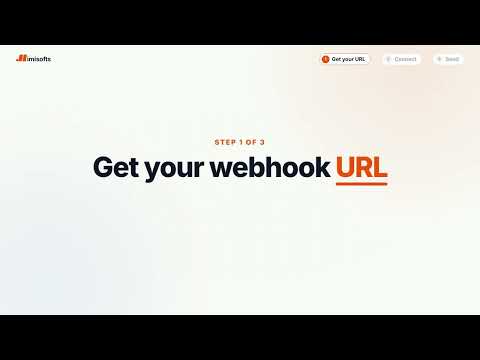
Send the page you are reading to your automation in one click, and see the reply right away. Save a webhook URL once. Then click the icon, right-click anything, or press a shortcut. Each time, your workflow gets one clean JSON object with the same fields, so you map them once and forget about it. WHAT IS INCLUDED - The page address and title - Text you selected, and links or images you right-clicked - The page description and social sharing tags - The author, date, language and main heading - A note you type in the popup - The visible text, only when you turn it on (up to 20,000 characters) BUILT FOR AUTOMATION WORK - Up to 10 destinations, with one default - An optional secret header, for an API key or token your workflow checks - Send test fills every field with sample data, so your tool learns the structure in one go - Preview the JSON before you send, or copy it - Shows the reply, formatted when it is JSON - Step-by-step setup for each tool, built in CLEAR ANSWERS WHEN SOMETHING FAILS - Spots an n8n workflow that is not published, or a node that is not set to POST - Explains timeouts, refused secrets, full Make queues and server errors in plain English - If a right-click delivery fails, the icon shows "!" and the popup explains why PRIVATE BY DESIGN - No sign-up and no account - Data goes only to the URLs you add, and only when you act. Redirects are not followed. imisofts receives nothing. - Chrome asks you to allow each destination's website, one at a time - Password, one-time code and card number boxes are never read, and no cookies are sent - Your destinations stay in this browser Works with any service that accepts a JSON POST. Want the whole setup built for you? imisofts builds n8n workflows, CRM automations and AI agents for B2B teams: https://imisofts.com/hire-n8n-developer n8n, Make, Zapier and Clay are trademarks of their owners. We are not affiliated with them. Chrome is a trademark of Google LLC.
0 out of 5No ratings
Details
- Version1.0.0
- UpdatedOctober 24, 2026
- Size51.37KiB
- LanguagesEnglish (United States)
- DeveloperZeeshan WaheedWebsite
Dr. Iqbal Street, House No 1464, Qasim Bela, Mubarak Town Multan 60000 PKEmail
growth@imisofts.comPhone
+92 302 3569983 - TraderThis developer has identified itself as a trader per the definition from the European Union and committed to only offer products or services that comply with EU laws.
Privacy

Send to Webhook for n8n, Make & Zapier by imisofts has disclosed the following information regarding the collection and usage of your data. More detailed information can be found in the developer's privacy policy.
Send to Webhook for n8n, Make & Zapier by imisofts handles the following:
This developer declares that your data is
- Not being sold to third parties, outside of the approved use cases
- Not being used or transferred for purposes that are unrelated to the item's core functionality
- Not being used or transferred to determine creditworthiness or for lending purposes
Support
For help with questions, suggestions, or problems, visit the developer's support site