


Overview
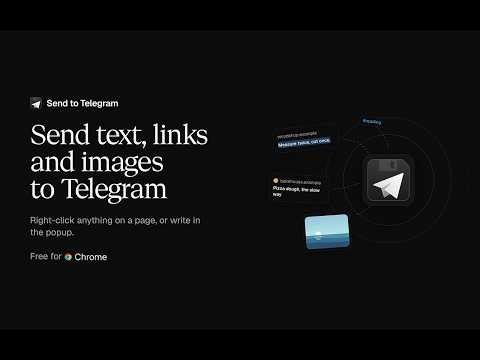
Send text, links, images and pages to a Telegram chat from the right-click menu.
Send text, links, images, videos, screenshots and pages to your Telegram chat, group or channel from the right-click menu, or from a popup that works like a chat. Free and open source. Your bot token stays in your browser, and messages go straight from it to Telegram, with no server in between. WHAT YOU CAN SEND • Selected text, with its formatting kept: links, bold, italic, code and quotes arrive as they looked on the page. Long selections are split into several messages for you. • Links, with Telegram's preview under them. • Images, as photos. If Telegram can't fetch one, it arrives as a file, then as a link, so a send never goes missing. • Videos and audio, which play in Telegram. If Telegram can't play one, it arrives as a file, then as a link. • Screenshots of the page you're on, whole or an area you drag out. • The page you're on, as a link with its title. • Files, attached in the popup or pasted or dropped into it. Attach up to ten and they arrive as one album. THE POPUP Click the toolbar button to send the current page or your selection, with a note if you like. Type # in the note to pick a saved hashtag, and press Enter to send. Sent the wrong thing? Undo deletes it and puts the draft back. Earlier messages to that chat sit above the draft, and you can search them. What you send your bot shows up there too, so a link sent from your phone is a click away in the browser. Photos open full size, videos, GIFs and voice messages play in place, and files save with one click, up to Telegram's 20 MB limit for bots. ALSO • Sends that try again by themselves. If you're offline or Telegram is out of reach, the message waits in the chat and is tried again for up to a day, as long as history keeps everything. • More than one chat. Send to yourself, a group, a channel or a topic in a forum group; with several, the right-click menu asks which one. • Delete in Telegram too. Deleting a message you sent can remove it for everyone in the chat, within Telegram's 48 hours. • Keyboard shortcuts. Alt+Shift+S sends the current page without opening anything, Alt+Shift+P sends a screenshot of it, Alt+Shift+A lets you pick an area to send, and Alt+Shift+T opens the popup. • History you control. Keep everything, only the times, or nothing. The settings page lists everything you sent, with Send again, Copy and Remove. Private windows never leave a trace. • An optional password lock. Chats, bot tokens, history and received messages are encrypted in your browser, and the password is asked for when the browser starts. A recovery code lets you set a new one if you forget it. • Backup and restore. Save your chats, bot tokens, hashtags, settings and, if you like, history to one file, encrypted with a password you choose. Restore it here or in another browser. • Blur chat names, photos and videos for when someone can see your screen. • Light and dark, following your system or set by hand, with six chat backgrounds or a photo of your own. GETTING STARTED 1. In Telegram, open @BotFather, send /newbot and copy the token it gives you. 2. Paste the token on the welcome page that opens after you install. 3. Open your new bot in Telegram and press Start. The chat appears in the list by itself, so there's no chat ID to look up. To send to a group, add your bot to it. For a channel, make the bot an admin. UPDATING FROM 1.X Version 2.0 is a rewrite. Your bot token, chat, message settings, hashtags, history and sent count move over when it updates, and a page shows what changed. PERMISSIONS • Context menus and storage, for the right-click menu and your settings. • Active tab and scripting, to read the selection you send with its formatting, take a screenshot of the page and show the overlay for picking an area. They only run on the tab you're sending from, when you send. • Alarms, to wake the extension when a failed send is due to be tried again. • Access to api.telegram.org is optional. It's asked for the first time a photo or file sent to your bot shows in the popup, because Telegram's file server needs it. Website and privacy policy: https://s2t.dev Telegram channel: https://t.me/send_to_telegram Source code and issues: https://github.com/ridvan/send-to-telegram Send to Telegram isn't affiliated with Telegram. Telegram is a trademark of its owner.
4.8 out of 59 ratings
Details
- Version2.1.0
- UpdatedNovember 13, 2026
- Size493KiB
- LanguagesEnglish (United States)
- DeveloperWebsite
Email
rustyredvalve@gmail.com - Non-traderThis developer has not identified itself as a trader. For consumers in the European Union, please note that consumer rights do not apply to contracts between you and this developer.
Privacy

This developer declares that your data is
- Not being sold to third parties, outside of the approved use cases
- Not being used or transferred for purposes that are unrelated to the item's core functionality
- Not being used or transferred to determine creditworthiness or for lending purposes
Support
For help with questions, suggestions, or problems, please open this page on your desktop browser