


Overview
Управляйте вкладками и сессиями легко: сохраняйте, группируйте и наводите порядок в браузере без лишнего хаоса.
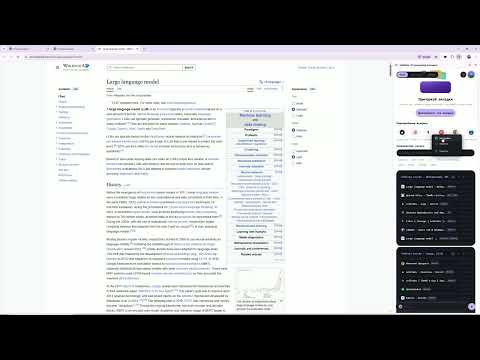
Selftabs — менеджер вкладок и сессий с AI-помощником для Chrome. Сохраняйте наборы вкладок, группируйте их по проектам и возвращайтесь к работе в один клик, не держа десятки страниц открытыми. ⚡ ВОЗМОЖНОСТИ - Сессии вкладок. Сохраните текущий набор вкладок как сессию, закройте лишнее и откройте сессию целиком или отдельные страницы, когда они понадобятся. - Проекты и группы. Разделяйте вкладки по задачам: документация, макеты, аналитика, учёба, исследования. - Drag-and-Drop. Перетаскивайте вкладки между группами, проектами и сессиями. - Умный поиск. Ищите нужную страницу среди сохранённых сессий, проектов и вкладок. - AI-функции. Краткое содержание страницы и чат по сохранённой сессии помогают быстрее разобраться в подборке материалов. - Рабочие пространства. Организуйте вкладки в рабочих пространствах и переключайтесь между ними. - Синхронизация и интеграции. Подключение Telegram и Google-аккаунта. - Защита и персонализация. PIN-код, выбор акцентного цвета, короткий тур при первом запуске. - Освобождение ресурсов. Закрывайте неиспользуемые группы вкладок и держите их в Selftabs: браузеру нужно держать открытыми меньше страниц, а нагрузка на оперативную память снижается. 🚀 КАК НАЧАТЬ 1. Нажмите «Установить» и закрепите иконку Selftabs на панели расширений. 2. Откройте расширение и создайте аккаунт: через Google или по email с кодом подтверждения. Если аккаунт уже есть, выберите «Войти в существующий аккаунт». 3. Сохраните текущий набор вкладок как сессию и начните группировать страницы по проектам. Для работы расширения нужен аккаунт и подключение к интернету. Бесплатный тариф имеет лимиты на количество сессий и вкладок, расширенные возможности доступны на платных тарифах. В некоторых регионах для доступа к серверу может потребоваться VPN. 🔒 ДАННЫЕ И ПРИВАТНОСТЬ - Аккаунт: email и имя пользователя. - Сохранённые сессии и вкладки (адреса и названия страниц) хранятся на нашем сервере и привязаны к вашему аккаунту, чтобы они были доступны после входа. - AI-функции: при запросе краткого содержания или чата по сессии текст нужной страницы отправляется на сервер для обработки. Без вашего действия содержимое страниц не отправляется. - Статистика использования: события открытия и закрытия расширения, длительность сеанса, версия и платформа. - Мы не продаём ваши данные третьим лицам. 🔑 ЗАЧЕМ НУЖНЫ РАЗРЕШЕНИЯ - tabs, tabGroups, windows — чтение и открытие вкладок, сохранение и восстановление сессий. - storage — хранение токена входа и настроек. - identity — вход через Google. - scripting, activeTab, доступ ко всем сайтам — краткое содержание страницы и добавление страницы в проект. - alarms — периодическая отправка статистики и поддержание соединения с сервером. Освободите браузер от хаоса вместе с Selftabs!
0 out of 5No ratings
Details
- Version1.2.2
- UpdatedOctober 10, 2026
- FeaturesOffers in-app purchases
- Size363KiB
- Languagesрусский
- Developer
- Non-traderThis developer has not identified itself as a trader. For consumers in the European Union, please note that consumer rights do not apply to contracts between you and this developer.
Privacy

Selftabs: AI менеджер вкладок has disclosed the following information regarding the collection and usage of your data. More detailed information can be found in the developer's privacy policy.
Selftabs: AI менеджер вкладок handles the following:
This developer declares that your data is
- Not being sold to third parties, outside of the approved use cases
- Not being used or transferred for purposes that are unrelated to the item's core functionality
- Not being used or transferred to determine creditworthiness or for lending purposes
Support
For help with questions, suggestions, or problems, visit the developer's support site