

SelectSight – Copy & Translate Text from Screenshots & Images
1 rating
)
Overview
Copy text from any image, screenshot or paused video, or translate it instantly. OCR runs 100% on-device.
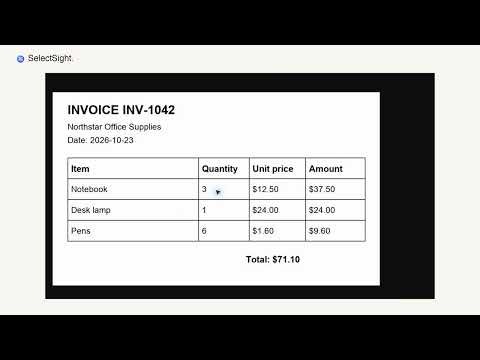
Copy the words you see. Translate them when you need to. SelectSight makes text in images, screenshots and paused videos selectable in Chrome. Grab a quote, save notes from a lecture, read a foreign-language image or turn captured text into an editable document without retyping it. SELECT AND COPY Hover over a supported image or paused video, drag across the words you want and copy with your usual keyboard shortcut. When direct selection is difficult, capture a visible area of the page. Review and edit the recognized text, then copy it. TRANSLATE IN PLACE Translate selected text or text recognized from a screenshot. Read the original alongside the translation, or view translated text over the screenshot. Select and copy the translation for use in your notes, messages or documents. Translate into English, Simplified Chinese, Traditional Chinese, Japanese, Korean, French, German or Spanish. SelectSight remembers your chosen target language. LOCAL OCR, READY TO USE Basic OCR runs 100% on your device. Recognize and copy text for free, without an account or image upload. English, Simplified Chinese, Traditional Chinese and Japanese recognition are built in. Download additional language packs for Korean, French, German, Spanish and more. Initial setup selects the appropriate OCR pack for your browser language where supported. EDIT AND EXPORT Keep the result as plain text, or use optional cloud processing to prepare editable Word documents and Excel spreadsheets. You can work with original or translated text. Table results depend on the content of the captured image. ONLINE FEATURES Translation requires an internet connection and sends the text being translated for processing. Optional cloud recognition, organization and document generation may upload your selected image and relevant text, require sign-in and use cloud credits. Applicable credit costs are shown before you proceed. These online features are separate from free on-device OCR. The interface is available in all eight translation languages. Screenshots capture the visible page area; protected Chrome pages cannot be captured by the extension. Learn how to use SelectSight: https://selectsight.lol/how-to-use
5 out of 51 rating
Details
- Version1.0.0
- UpdatedNovember 2, 2026
- FeaturesOffers in-app purchases
- Offered byjohnie
- Size31.06MiB
- Languages8 languages
- Developer
Email
j.ohnie@outlook.com - Non-traderThis developer has not identified itself as a trader. For consumers in the European Union, please note that consumer rights do not apply to contracts between you and this developer.
Privacy

SelectSight – Copy & Translate Text from Screenshots & Images has disclosed the following information regarding the collection and usage of your data. More detailed information can be found in the developer's privacy policy.
SelectSight – Copy & Translate Text from Screenshots & Images handles the following:
This developer declares that your data is
- Not being sold to third parties, outside of the approved use cases
- Not being used or transferred for purposes that are unrelated to the item's core functionality
- Not being used or transferred to determine creditworthiness or for lending purposes
Support
For help with questions, suggestions, or problems, visit the developer's support site