


Overview
Send secure files from Gmail with password protection, expiration dates, and download tracking.
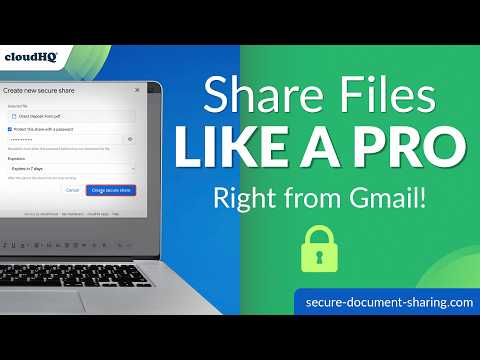
🔒 Share Google Drive™ files from Gmail™ with password protection and expiration dates. Secure Document Sharing via Email by cloudHQ adds a Secure Share button to your Gmail™ compose window. Pick a file from Google Drive™, choose your sharing settings, and put the link in your email. After sending, you can check whether the link was opened and the file was downloaded. Recipients open a cloudHQ download page in their browser. If you set a password, they'll need it to download the file. They don't need a Google account or any extra software. ⭐ What you can do 🔑 Add a password to a share so the link alone isn't enough to download the file. ⏰ Set an expiration date. Options include 1 day, 7 days, 30 days, 1 year, or no expiration. The link stops working when it expires. 📊 Review link visits, downloads, and password attempts, with timestamps, visitor IP addresses, and approximate locations. 📥 Insert an existing share into another email when you need to send the same file again. 🎨 Add your logo, colors, and welcome message to the download page with a paid plan. 👥 Deploy the extension across your organization with Google Workspace™. 💼 Use it for contracts, client proposals, financial reports, or HR documents when you want a password, an access deadline, or a record of downloads. ⚡ Getting started 1️⃣ Install the extension and authorize access to Google Drive™. 2️⃣ Compose an email in Gmail™ and click Secure Share in the toolbar. 3️⃣ Select a file, add a password if needed, and choose when the link expires. 4️⃣ Insert the link and send your email. You can review its activity in your dashboard. 🛡️ Your files and passwords 📦 Your files stay in Google Drive™. When someone downloads a file, cloudHQ delivers it from your Drive without keeping a permanent copy. Connections between recipients, cloudHQ, and Google Drive™ use HTTPS/TLS encryption. 🔐 You authorize Drive access through Google's OAuth consent screen. The extension accesses the files you select, and you can revoke access in your Google account settings. cloudHQ never sees, stores, or transmits your Google password. 🔑 If you set a share password, it is sent to cloudHQ over an encrypted connection and stored with the share so we can check it when a recipient requests access. It is used only for that check, never displayed to recipients, and never sold or shared. Use a separate password from your Google password, and give it to the recipient by phone or text rather than in the email containing the link. Details: https://www.cloudhq.net/privacy#secure_document_sharing 🎁 Free trial and pricing The free trial includes 20 secure shares, with no credit card required. Paid plans include unlimited shares and custom download pages. See the pricing page for plan details. Website: https://www.secure-document-sharing.com/ Pricing: https://www.secure-document-sharing.com/pricing Support: https://support.cloudhq.net/category/browser-extensions/secure-share Privacy: https://www.cloudhq.net/privacy#secure_document_sharing Blog: https://blog.cloudhq.net/ Google Workspace, Google Drive, Google Sheets, and Gmail are trademarks of Google LLC. Use of these trademarks is subject to Google Permissions. cloudHQ is a trademark of cloudHQ LLC. https://www.cloudhq.net/trademark
4.3 out of 56 ratings
Details
- Version1.0.0.9
- UpdatedSeptember 18, 2026
- Size634KiB
- Languages11 languages
- DevelopercloudHQWebsite
2247 29th Avenue San Francisco, CA 94116 USEmail
support@cloudhq.netPhone
+1 415-509-6721 - TraderThis developer has identified itself as a trader per the definition from the European Union and committed to only offer products or services that comply with EU laws.
- D-U-N-S064785518
Privacy

Secure Document Sharing via Email by cloudHQ has disclosed the following information regarding the collection and usage of your data. More detailed information can be found in the developer's privacy policy.
Secure Document Sharing via Email by cloudHQ handles the following:
This developer declares that your data is
- Not being sold to third parties, outside of the approved use cases
- Not being used or transferred for purposes that are unrelated to the item's core functionality
- Not being used or transferred to determine creditworthiness or for lending purposes
Support
For help with questions, suggestions, or problems, visit the developer's support site