


Genel bakış
Seavus Project Viewer Online is a free mpp Viewer for Microsoft Project files.
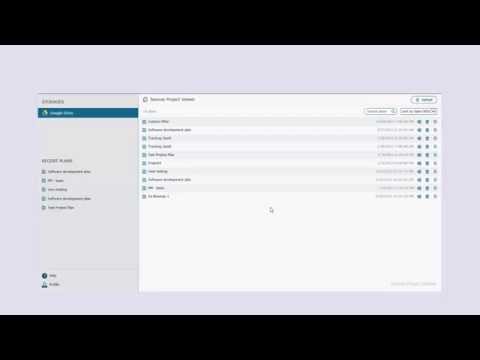
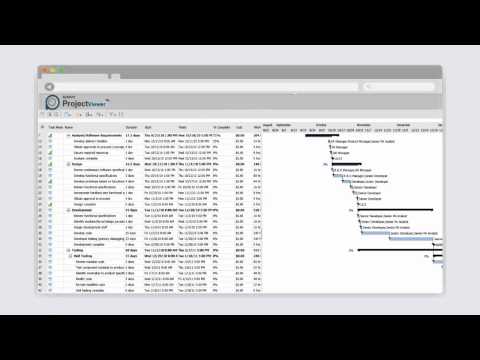
Seavus Project Viewer Online is the leading viewer for Microsoft Project files allowing users to open, view and share Microsoft Project files (.mpp files) without MS Project installed on their device. The first Viewer for Microsoft Project to save on one of the 5 leading cloud storages. Uses can upload their project plans to any of the world’s best cloud storage services including: - Google Drive - One Drive - Yandex.Disk - Dropbox - Box Take control of your project, increase your project execution, project control and monitoring processes by providing the same information to all users involved in a project. Complete MS Project functionality and user interface for viewing: • Gantt Chart view • Task Sheet view • Resource Sheet view • Task and Resource tables • Task and Resource filters • Timescale formatting • Sort task and resources • Date Format Support For more information visit our website at www.seavusprojectviewer.com
5 üzerinden 4,127 puan
Ayrıntılar
- Sürüm2.1
- Güncellenme tarihi:26 Ocak 2017
- Boyut6.7KiB
- DillerEnglish
- Geliştirici
- Tacir olmayanBu yayıncı kendisini tacir olarak tanımlamamış. Avrupa Birliği'ndeki tüketiciler açısından bakıldığında, bu geliştiriciyle yapmış olduğunuz sözleşmelerde tüketici haklarının geçerli olmadığını lütfen unutmayın.
Gizlilik

Destek
Sorular, öneriler veya sorunlarla ilgili yardım için lütfen bu sayfayı masaüstü tarayıcınızda açın