

Seat Watch for BookMyShow & District
5 ratings
)
Overview
Watches BookMyShow and District and tells you when seats open up on a show — or when booking opens for a film you're waiting on.
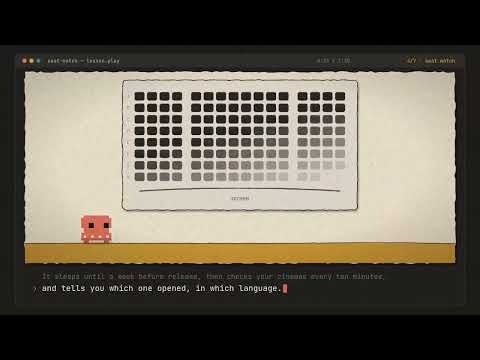
A big release is never as sold out as it looks. Cinemas hold seats back — for distributors, for staff, for corporate blocks, for whoever might still call. When nobody calls, those seats go back on sale. Often in the last hours before the show, sometimes minutes before it. On an opening weekend that is frequently the only inventory left. Nobody announces it. The listing just quietly changes, and by the time you think to look again the good rows are gone. Refreshing a page every few minutes for three hours is the manual version of this extension, and it's a bad way to spend an evening. The other reason to use it is simpler: you want THAT screen. The IMAX one, the one with the right rake, the one where the sound is actually set up. The same film in a worse room isn't the same evening out — so "sold out" there is worth waiting on rather than settling around. Both cases have the same shape. You don't want a seat, you want THOSE seats. So pick the showtimes you care about, say how many seats you need together and where in the hall you'll accept them, and get a notification the moment a matching block appears. Click it to land straight on the seat map. TWO SITES, AND A REASON TO USE BOTH BookMyShow and District both sell the same cinemas, and they do NOT hold the same seats back. A show that is sold out on one can have a row free on the other, and when a block is released it rarely appears on both at the same moment. So the same showing is worth watching twice, and the popup tells you which site each watch is for. HOW YOU ADD A SHOW Search either site the way you normally would — by cinema or by film — and open its showtimes. Every showtime picks up a small + in its corner. Click it. The film, format, cinema and start time are filled in for you. Sold-out showtimes get the button too, and they're the ones worth using it on. WHEN A FILM ISN'T ON SALE YET The + needs a showtime to exist before you can click it, and that is its limit: by the time a first-day show is listed, the seats worth having are often gone. So a film that isn't on sale yet gets a bell instead. It attaches to the FILM, not to a showing, which means you can set it weeks early — before there is anything to book. Pick the cinemas you would actually go to and you are told which of them opened. Leave it empty and any cinema counts. On BookMyShow the bell is on the upcoming-movies list and on a film's own page. On District you search for the film. District publishes no upcoming list, and a film that isn't on sale yet appears in no other listing there, so typing its name into District's own search is the way to reach it — the bell is on the page you land on. A film out in several languages opens one language at a time, and each gets its own alert and its own link. On BookMyShow it also watches the night before release, because premieres, benefit shows and 1am previews run before a film is officially out — and for a big release those are often the first tickets on sale. You are told which day opened, and taken to that day's listing. Nothing is polled while a release is months away. A watch sleeps until a week before the release date, which you can change, and is dropped once the film is out. WHAT COUNTS AS A MATCH Not just "a seat is free" — the seats you'd actually buy: • How many free seats side by side, with no aisle between them • Where in the hall: anywhere, the middle half, or dead centre • How many rows to skip at the front • Only the seats the site marks as its best, if you like Set them once as defaults, or per show. HOW OFTEN IT CHECKS Every show runs on its own clock, so tonight's screening is watched hard while one next week is barely touched — 90 seconds under three hours to showtime, half an hour when it's more than a day away. All five intervals are yours to change. A show is dropped six hours after it has played. WHERE ALERTS GO A desktop notification, always. Optionally also to Telegram or to a webhook — a Discord channel or an ntfy.sh topic both work with a single address pasted in. Telegram takes as many destinations as you like, and a group counts as one. So one person can run it and a whole group of friends gets told at once — whoever is free taps Book now in the alert and goes. Each destination is sent to independently: if the bot is removed from one group, everyone else still hears about it. FROM YOUR PHONE You are rarely at the laptop when you think of a film — you are at the mall, or out with family. Share the film from the BookMyShow or District app to your own Telegram bot and the laptop at home starts watching it. A film not yet on sale becomes a booking-opens watch. One already selling gets asked, in the chat, which language, which day, which cinema and which showtime — every cinema showing it is offered, not only ones you picked in advance. Seat alerts arrive as a picture of the hall with the free seats marked. /watching lists everything, and "stop <film>" stops one. The laptop still does the checking, so it has to be on and awake at home. Your phone only tells it what to watch. WHAT IT DOESN'T DO There is no server behind this. Nobody operates a service, so there is nowhere for your data to be collected or sold. Your watch list and settings live in your own browser. Checks run in your own Chrome, using the session you're already signed in with — nothing is proxied, nothing is replayed, and no credentials are handled. District answers seat maps as data rather than as a page, so those checks need nothing on screen and no sign-in — only that Chrome has visited district.in; BookMyShow's need a visible window, which the extension opens and the welcome page explains. It does not book, hold, or pay for anything. It tells you, and you decide. ONE THING TO SET UP Nothing runs while your machine is asleep — and the release you're waiting for tends to land late in the evening, exactly when a laptop has nodded off. Stop it sleeping for the evening, and keep the display on: on a Mac, "caffeinate -dis" in Terminal; on Windows, Settings > System > Power & battery > Screen and sleep > Never. The welcome page and the settings page both walk through it. Watching for a film to go on sale is the same problem stretched over days rather than hours, so it is worth knowing that it does not need the display on — only Chrome running. And if you are alerting a group, the simplest insurance is two of you running it into the same group. One machine sleeping then costs nobody anything. Reading the seat map means loading the seat map, so Chrome needs to be running for checks to happen. Checks are spaced out and randomly jittered, and never run faster than once a minute. NEW IN 2.1 • Share a film to your Telegram bot and it starts watching. A film not on sale yet becomes a booking-opens alert; one already selling asks which language, day, cinema and showtime, from every cinema showing it. District's app links work too. • Commands in Telegram: /watching, /status, /pause, /resume, /seats, /frequency, /theatres, /languages and /formats — or just "stop kantara". • Alerts can be acted on from the phone: snooze or stop a seat watch, or turn a booking-opens alert into a seat watch on that showtime, in one tap. • Each watch can keep its own pace — every 1 to 30 minutes — from its card in the popup or with /frequency, instead of the automatic one. • Seat alerts show a snapshot of the hall with the free blocks marked, instead of a list of rows. • Only the languages and screens you want — from the ones that film actually has, Dolby Cinema, EPIQ and HDR by Barco included — per film from the popup or from Telegram, with defaults for new watches in Settings. • 2D, IMAX and 4DX opening in the same minute is one alert per language with a button for each format, not three identical ones. • A cinema already announced that adds shows later says "More shows", and a premiere night opening after release-day booking is announced as its own alert. • Each format that opens is named — "81 cinemas — 2D", "Book 4DX". A premiere is always its own alert, and the popup says which of your cinemas have their premiere on sale and which it is still checking. NEW IN 2.0 • District is supported, alongside BookMyShow. The + appears on District showtimes and the seat map is read there too. The same cinema often sells on both, and the two do not always release held seats at the same moment, so a show you really want is worth watching on each. • Films that aren't on sale yet work on District as well. The bell sits on a film's page there — District publishes no upcoming list, so search for the film to reach it — and the watch tells you when booking opens at the cinemas you picked. • The theatre picker shows both sites at once, one row per cinema, marked with who sells it. A cinema only one of them carries is the case worth spotting. • A film released in several languages alerts you per language, on both sites. The Malayalam, Telugu and Hindi listings of one film are three separate bookings, and each gets its own alert and its own link. • Rows. Name the rows you'd actually sit in — "F-K", or "H, J" — and only those count. Ranges follow the hall's own row order, so a hall that skips row I means what you meant. EARLIER • Watch a film that isn't on sale yet, and get told the moment booking opens — including premieres and previews the night before release. • Choose which cinemas count, and the alert names the one that opened. • Telegram alerts can go to several destinations, and a group counts as one, so one person can run it for a whole group of friends. Not affiliated with, endorsed by, or connected to BookMyShow.
4.2 out of 55 ratings
Details
- Version2.1.5
- UpdatedOctober 9, 2026
- Size283KiB
- LanguagesEnglish
- Developer
Email
gosulayaswanth2@gmail.com - Non-traderThis developer has not identified itself as a trader. For consumers in the European Union, please note that consumer rights do not apply to contracts between you and this developer.
Privacy

Seat Watch for BookMyShow & District has disclosed the following information regarding the collection and usage of your data. More detailed information can be found in the developer's privacy policy.
Seat Watch for BookMyShow & District handles the following:
This developer declares that your data is
- Not being sold to third parties, outside of the approved use cases
- Not being used or transferred for purposes that are unrelated to the item's core functionality
- Not being used or transferred to determine creditworthiness or for lending purposes