


Overview
Find a client or patient, send a secure request, and put their documents into the app you use, without downloading them.
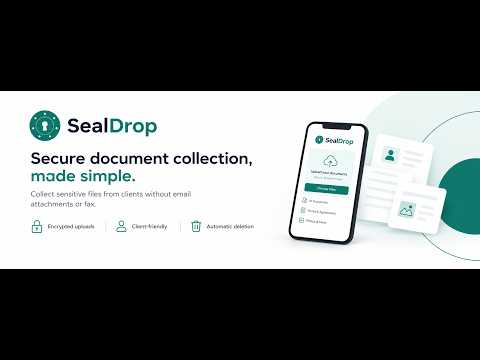
SealDrop for Chrome puts your SealDrop account beside the apps you already work in — your records system, CRM or practice software. For SealDrop customers: you need a SealDrop account to use it. Learn more at https://sealdrop.ca. • Find the person: highlight a name, email, phone number or ID number on any page, right-click and choose Search SealDrop. If exactly one client matches everything you highlighted, they open straight away. • See what's waiting: their documents to file, their flags and form results, and their requests at a glance. • Put documents where they belong: press Put into page and choose your app's upload. The files go straight in, without downloading them to your computer. Several documents can go in as one PDF. • Send a request: ask for documents or a form in a few clicks, and see exactly where it's going before you send. • Mark them filed when you're done, and SealDrop deletes its copies on schedule. Your account, your access: sign in with your own SealDrop account (two-step sign-in). The extension shows only what you can see in the app. Privacy: SealDrop reads a page only on the tab where you open it, or on the sites you turn it on for ("Look on every site" is off until you turn it on). What it reads stays in your browser. It never saves documents to your computer, signs you out after 30 minutes without use, and has no analytics or trackers. If you choose "Don't ask for a code on this device for 30 days", it keeps only the sign-in service's key for this computer. SealDrop stores your organization's data in Canada.
0 out of 5No ratings
Details
- Version1.0.0
- UpdatedNovember 15, 2026
- Size535KiB
- LanguagesEnglish
- DeveloperWebsite
Email
support@sealdrop.ca - Non-traderThis developer has not identified itself as a trader. For consumers in the European Union, please note that consumer rights do not apply to contracts between you and this developer.
Privacy

SealDrop has disclosed the following information regarding the collection and usage of your data. More detailed information can be found in the developer's privacy policy.
SealDrop handles the following:
This developer declares that your data is
- Not being sold to third parties, outside of the approved use cases
- Not being used or transferred for purposes that are unrelated to the item's core functionality
- Not being used or transferred to determine creditworthiness or for lending purposes
Support
For help with questions, suggestions, or problems, visit the developer's support site