


Overview
Send QNAP diagnostic bundles from your NAS straight into your own SDLV Workbench or the public demo.
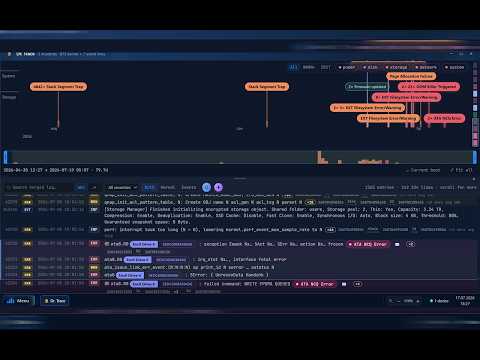
SDLV connects to a live QNAP NAS and puts a one-click bridge between any diagnostic dump it produces — from any app — and the Silas Diagnostic Log Viewer instance that analyses it. Normally that means: find the ZIP, download it, open the analyzer, upload it, wait. This extension collapses that into one click. It adds an SDLV button next to every diagnostic bundle link on the pages you nominate, fetches the bundle with your own signed-in session, hands it to your analyzer, and opens the result ready to read. WHAT IT DOES • Marks diagnostic bundles (.zip, .tar.gz, .tgz) from any QNAP app on the pages you configure — whatever the file's called, wherever the link hides it. • One click uploads the bundle to your own analyzer and opens the parsed result. • The toolbar popup lists every bundle found on the current page, so you can push several at once. • A size ceiling you control refuses oversized bundles before anything is transferred. WHERE THE ANALYSIS HAPPENS — YOUR CHOICE, ON FIRST RUN • Public demo server, at the fixed address https://sdlv.qnap.net.pl/ (sign in as demo / qnap). Limited: shared, rate-limited, live NAS tools switched off. Good for trying the product; not for confidential customer data. • Your own SDLV Workbench instance, running on a private QNAP NAS or shared to your team. You type its address. Full functionality, and bundles never leave your network. Or take the tour first: one button opens the guided how-to on the demo, which reads a sample bundle and uploads nothing at all. The extension is inert until you choose. SITE ACCESS, ON YOUR TERMS The extension ships with no access to any website. In Options you name the hosts your bundles live on, and the browser asks you to approve exactly those. Nothing runs on any other page, and you can withdraw the approval at any time. WHAT LEAVES YOUR BROWSER Only the bundle you click, only to the analyzer address you typed in. There is no telemetry, no analytics, no third-party service, and no remote code. Your settings stay in your browser profile. Diagnostic bundles describe real systems. Read the privacy policy before pointing this at the public demo with a customer's data: https://sdlv.qnap.net.pl/extension-privacy.html Independent tool. Not affiliated with, endorsed by, or sponsored by QNAP Systems, Inc. QNAP is a trademark of its respective owner and is used here only to describe compatibility.
5 out of 51 rating
Details
- Version1.3.9
- UpdatedAugust 14, 2026
- Size1.24MiB
- LanguagesEnglish
- DeveloperDevSpark Mariusz GrzybaczWebsite
Konrada Korzeniowskiego 10/65 Nowy Sącz 33-300 PLEmail
silas@qnapclub.plPhone
+48 667 500 033 - TraderThis developer has identified itself as a trader per the definition from the European Union and committed to only offer products or services that comply with EU laws.
- D-U-N-S679368230
Privacy

SDLV — Diagnostic Log Viewer has disclosed the following information regarding the collection and usage of your data. More detailed information can be found in the developer's privacy policy.
SDLV — Diagnostic Log Viewer handles the following:
This developer declares that your data is
- Not being sold to third parties, outside of the approved use cases
- Not being used or transferred for purposes that are unrelated to the item's core functionality
- Not being used or transferred to determine creditworthiness or for lending purposes
Support
For help with questions, suggestions, or problems, visit the developer's support site