

SDA - Auto Form
40 個評分
)
總覽
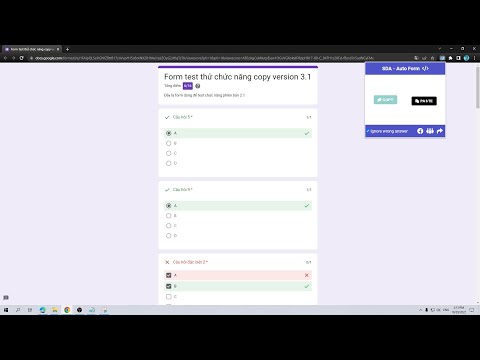
Easily transfer answers between forms for an improved experience. Supports Google Forms, MyAloha. Simple, efficient, and productive.
Effortlessly copy answers from completed Google Forms and paste them into another form with just a few clicks. Easily extract responses in a clean, readable format or a compact text-code, perfect for sharing or personal use. Save time, stay organized, and collaborate smoothly with this great tool for form and exam answer management! v4.1.0: MyAloha Compatibility: Partial support for MyAloha exams allows you to copy answers from in-progress exams to share with friends or use shared codes from others to paste answers directly into your MyAloha exam v.4.2.0: - Improved performance and optimized code for a lighter footprint - Enhanced error handling for better reliability - Minor UI updates for an improved user experience v.4.3.0 Update: - Multi-language Support: Now includes English and Vietnamese language options, enhancing accessibility for a broader user base. Additional languages such as Indonesian, Chinese, French, and German will be added in the next update. - Questions and answers are automatically pasted when the share button is clicked, making the sharing process faster and more efficient.
5 分 (滿分 5 分)40 個評分
詳細資料
- 版本4.4.1
- 已更新2025年12月1日
- 提供者hdrake1302
- 大小41.18KiB
- 語言15 種語言
- 開發人員
電子郵件
hdrake1302@gmail.com - 非交易商這位開發人員並未表明自己是交易商。歐盟地區的消費者請注意,消費者權利不適用於你和這位開發人員之間簽訂的合約。
隱私權

這位開發者就你的資料做出下列聲明:
- 除經核准的用途外,不會將你的資料販售給第三方
- 不會基於與商品核心功能無關的目的,使用或轉移資料
- 不會為了確認信用度或基於貸款目的,使用或轉移資料