


Overview
One-click clear all site data (cookies, storage, cache) for the current website.
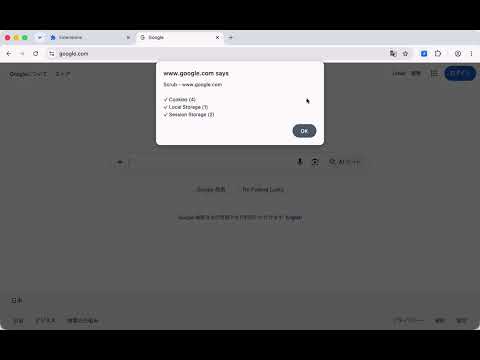
Scrub clears all site data for the current website with one click. Click the toolbar icon, and Scrub removes cookies, localStorage, sessionStorage, IndexedDB, Cache Storage, and OPFS for the current domain. Nothing more, nothing less. After clearing, you'll see exactly what was removed and how much. If a site has no stored data, it tells you that too. This is useful when: - A website is stuck in a broken login state - You want to reset a site back to its first-visit experience - Cached data is causing unexpected behavior - You need a clean slate for web development or testing Scrub only touches data belonging to the site you're currently on. It never runs in the background and injects no code until you click. Available on all major browsers, including mobile.
0 out of 5No ratings
Details
- Version0.0.19
- UpdatedAugust 7, 2026
- Size73.13KiB
- LanguagesEnglish
- DeveloperWebsite
Email
rxliuli@gmail.com - Non-traderThis developer has not identified itself as a trader. For consumers in the European Union, please note that consumer rights do not apply to contracts between you and this developer.
Privacy

Scrub - Clear Site Data has disclosed the following information regarding the collection and usage of your data. More detailed information can be found in the developer's privacy policy.
Scrub - Clear Site Data handles the following:
This developer declares that your data is
- Not being sold to third parties, outside of the approved use cases
- Not being used or transferred for purposes that are unrelated to the item's core functionality
- Not being used or transferred to determine creditworthiness or for lending purposes
Support
For help with questions, suggestions, or problems, please open this page on your desktop browser