


Overview
Full page and scrolling screenshots, plus a free screen recorder with camera and mic: no time limit, no video cap, no sign-up.
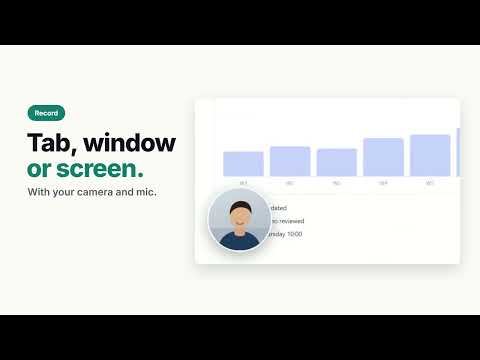
Scrolvo is a free Chrome extension for full page screenshots, scrolling screenshots and screen recording that captures the whole thing, not just what fits on screen. It scrolls any web page, or a chat, feed or panel that scrolls inside the page, and stitches every shot into one long image that you save as a PNG, JPG or PDF. It also records a tab, a window or your whole screen with your microphone and camera, free, with no time limit, no cap on how many videos and no watermark. Nothing is uploaded unless you share a link or ask for an AI edit. Scrolvo is made by Appzlr, and was previously published as Capture and Scroll Shot: the same extension, on the same store listing, so anything written about those names describes Scrolvo. Screenshots, screen recording, captions, step-by-step guides and video conversion are free. Scrolvo Pro adds the screenshot editor, blur, auto-zoom and longer captures. WHAT SCROLVO DOES THAT MOST SCREENSHOT TOOLS DON'T • Captures a chat, feed, inbox or dashboard that scrolls inside the page, not just the whole window ("Scrolling area") • Scrolls a chat back to its first message before capturing, so the whole conversation fits in one image • Opens collapsed comments, replies and cut-off posts before capturing, so comment threads come out complete • Shows fixed headers and banners once, instead of repeating them down the whole image (Pro) • Saves a web page as a PDF with the page URL and capture time on every page, as a record of what the page said and when (Pro) • Records a page scrolling smoothly from top to bottom by itself • Records just part of a tab: drag over an area and only that area is in the video • Turns a tab recording into a step-by-step guide: every click becomes a numbered step with a screenshot and the spot you clicked marked • Writes captions and a transcript in your browser, so the sound never leaves your computer • A teleprompter next to your camera, so you can read a script while you record • Draws on the page while you record: a pen, blur boxes, a ring wherever you click and a spotlight around your cursor, free • Hands-free autoscroll from 40 to 4000 pixels per second, started and stopped with Alt+Shift+S • Converts videos of several gigabytes to MP4 in your browser, and turns an H.264 MOV into an MP4 in seconds at its original quality • Gives back a recording you didn't download, or one that was cut off, the next time you open Scrolvo • Lets people comment at a moment in a shared video, with no account 1. SCROLL • Hands-free autoscroll from 40 to 4000 pixels per second, up or down, with optional looping • Scroll the whole page, or choose "Scrolling area" to scroll just the chat, feed or panel that scrolls inside the page • Start or stop instantly with Alt+Shift+S 2. CAPTURE • Full page: scrolls the page or element and stitches every shot into one long screenshot • Scrolling area: captures what other screenshot tools miss, like chats, feeds, inboxes and dashboards that scroll inside the page, not the window • Visible area: capture what's on screen right now • Selected area: drag over just the part of the page you want • "Load earlier messages first": scrolls a chat back to its first message before capturing, so the whole conversation fits in one image • "Open hidden comments and replies first": opens collapsed comments, replies and cut-off posts before capturing, so comment threads come out complete • Very long pages are saved as a few tall parts instead of hundreds of frames • Adjust the pause between shots and the overlap between frames 3. SAVE AND SHARE • Download every capture as a PNG, free, with no account needed • Or open it in the Scrolvo editor to save it as a JPG or a paginated PDF, also free • Free captures take up to 150 shots each, enough for most long pages • Share a link to a capture or a recording with a free Scrolvo account: up to 10 links at a time, each working for 1 or 7 days • People you share with need no account: they watch on any phone or computer, comment at a moment in the video, react with emoji and read your captions. You see a view count, and can embed a video on another site 4. RECORD • Record a tab with its sound and your microphone, free, with no time limit, no cap on how many videos and no watermark • Test your microphone before you record, so a muted or busy one shows up first • Part of this tab: drag over the part of the page to record, and only that part is in the video • Camera bubble: your webcam in a round frame on the page, so it's in the video. Drag it anywhere • Scroll recording: a smooth video of a page scrolling from top to bottom by itself • Teleprompter: read your script from a small window near your camera while you record • Draw while you record a tab: a pen, blur boxes over private details, a ring wherever you click and a spotlight around your cursor, all free • Mute your microphone, or hold a key to talk, while you record • Record a window or your whole screen, with your camera in the corner, in the Scrolvo recorder at scrolvo.appzlr.com/record • In the recorder, record all of the window or screen, or just an area you drag over • A recording you didn't download, or one that was cut off, is offered back the next time you open the side panel or the recorder • Watch a recording full screen in its own tab, straight from the side panel • Recordings stay on your computer. Download them, or open them on scrolvo.appzlr.com to save them as MP4 or a GIF, or share a link 5. EDIT VIDEOS These tools run on scrolvo.appzlr.com, in your browser, so your video isn't uploaded. • Convert WebM, MOV or MKV to MP4, including files of several gigabytes. An H.264 MOV becomes an MP4 in seconds, at its original quality and size • Make a GIF of up to 30 seconds from any video • Trim to a tenth of a second, and cut out the parts you don't want • Put a video on a background with padding, rounded corners and a shadow, in a 16:9, 9:16, 1:1, 4:5 or 4:3 frame, free. Your next recording opens with the same look • Captions and a transcript, free: written in your browser, so the sound never leaves your computer. Fix any word, then download SRT, VTT or text • Video editor: put clips one after another, cut and trim them, and add music or a voice-over (up to 3 sound clips free) 6. GUIDES • Turn a tab recording into a step-by-step guide: every click becomes a numbered step with a screenshot from just before it and the spot you clicked marked • Reword, reorder and delete steps, pick a better frame for any step and blur private details, free • Guides are saved in your browser on scrolvo.appzlr.com. Export one as a PDF of up to 10 steps, free, with no watermark • Share a guide with a free account: 3 links at a time, up to 10 steps each, for 1 or 7 days or until you delete them • With Scrolvo Pro: PDFs of any length, Markdown export, version history, and share links of up to 100 steps with no Scrolvo footer • With Scrolvo Pro + AI: step text written for you, for up to 50 steps a guide, on this computer when Chrome supports it SCROLVO PRO ($10/month, or $100/year) • The Scrolvo editor (scrolvo.appzlr.com/edit): crop and annotate every capture with arrows, boxes and text, with undo and copy • No repeating sticky headers: fixed bars and banners appear once instead of down the whole image • Blur and redact emails, names and numbers before you share • Highlighter, numbered steps and pen • PDFs with the page URL and capture time on every page • WebP export • Beautify: browser frame, padding and backdrop • Longer share links: up to 30 days or until you delete them, with a password, a button of your own, a download switch and no Scrolvo footer, and up to 200 links at a time • Auto-zoom: recordings of a tab zoom in on every click by themselves. Move, retime or remove any zoom, then download it as an MP4 or share it as a link • Make it social: one click turns a recording into a 9:16, 4:5 or 1:1 video with a background, auto-zoom and captions drawn into the video, previewed before it's made • As many sound clips as you like in the video editor • Up to 1000 shots per capture instead of 150 SCROLVO PRO + AI ($20/month, or $200/year) • Everything in Pro • AI edits in the editor: describe a change, like removing a banner or fixing a typo, and it's done. Edit the whole image, or select a part first • 100 AI uses a month: each AI edit, or the AI step text for a whole guide, is one use New subscribers get a 7-day free trial of either plan. Cancel before it ends and you aren't charged. PRIVATE BY DESIGN • Screenshots and recordings never leave your computer unless you choose: they go to your Downloads folder, or open on scrolvo.appzlr.com, which runs in your browser. An image or video is only sent out when you ask for an AI edit, or for AI step text that Chrome can't write on this computer (both go to Google's Gemini API), or create a share link, which is deleted when it expires or when you delete it • No analytics, ads or tracking code, and your browsing is never recorded. With an account, we only note which site sent you and which Pro button opened checkout • Right after you install it, Scrolvo opens a welcome page on scrolvo.appzlr.com once. That page counts the install with Google Analytics, with the version number, so we can tell which of our ads lead to installs • Captions are written by a speech model that runs in your browser: it's downloaded once from Hugging Face, and the sound never leaves your computer • While you record a tab, Scrolvo notes where you click (never what you type or what the page says) so the video can zoom in and a guide can mark each step. That note stays with the recording on your computer, and guides are saved in your browser • The only network requests are for your Appzlr account (sign-in on the Scrolvo site), your plan and the plans on offer • Payments are handled by Paddle on scrolvo.appzlr.com; the extension never sees your card HOW TO USE 1. Click the Scrolvo icon to open the side panel. 2. Choose "Full page", or choose "Scrolling area" and click the chat, feed or panel that scrolls. 3. When the capture is ready, download it, or open it in the editor to save a JPG or PDF, or to mark it up with Pro. NOTES • Chrome allows extensions to take about two screenshots per second, so very long pages take a little time. • Chrome's own pages (chrome:// and the Web Store) can't be captured by any extension. FAQ What is Scrolvo? Scrolvo is a free Chrome extension, made by Appzlr, that takes full page and scrolling screenshots and records your screen. It can capture a chat or feed that scrolls inside a page, record with your microphone and camera with no time limit, and turn a recording into a step-by-step guide. Is Scrolvo free? Yes. Autoscroll, full page and scrolling screenshots, screen recording, captions, guides, video conversion, and PNG, JPG and PDF downloads are free with no account, and a free account adds share links. Scrolvo Pro adds the editor tools, blur, auto-zoom, longer share links and longer captures, with a 7-day free trial for new subscribers. How do I take a screenshot of a long chat that scrolls inside the page? Choose "Scrolling area" and click the conversation. Scrolvo scrolls it from top to bottom into one image. Turn on "Load earlier messages first" to start from the very first message. Can I save a whole web page as a PDF? Yes, for free: open the capture in the editor and export it as a PDF. With Scrolvo Pro, the PDF also shows the page URL and capture time on every page. Does Scrolvo upload my screenshots or recordings? No. Captures and recordings stay on your computer unless you create a share link or ask for an AI edit. Can I record my screen for free with no time limit? Yes. Record a tab with its sound, your microphone and your camera, or record a page as it scrolls by itself, with no time limit, no cap on how many videos and no watermark. For a window or your whole screen, the Scrolvo recorder opens on scrolvo.appzlr.com. Can it make a step-by-step guide? Yes. Record a tab and every click becomes a step with a screenshot, which you edit and save in your browser for free, along with a PDF of up to 10 steps. Scrolvo Pro adds PDFs of any length, Markdown export, longer share links and version history, and Pro + AI writes the step text. Can I turn a screen recording into an MP4 or a GIF? Yes, free. Open the recording on scrolvo.appzlr.com and save it as an MP4, or as a GIF of up to 30 seconds. The same page converts WebM, MOV and MKV files to MP4 in your browser. Can it add captions to a video? Yes, free. Captions and a transcript are written in your browser, so the sound never leaves your computer. Fix any word, then download SRT, VTT or text, or draw them into the video with Pro. Is there a free trial of Scrolvo Pro? Yes. New subscribers get 7 days free on either plan. You add a payment method at checkout and aren't charged if you cancel before the trial ends. Scrolvo by Appzlr · scrolvo.appzlr.com · emaki@appzlr.com
5 out of 54 ratings
Details
- Version1.18.0
- UpdatedNovember 8, 2026
- FeaturesOffers in-app purchases
- Size283KiB
- Languages7 languages
- DeveloperWebsite
Email
ac10.origin@gmail.com - Non-traderThis developer has not identified itself as a trader. For consumers in the European Union, please note that consumer rights do not apply to contracts between you and this developer.
Privacy

This developer declares that your data is
- Not being sold to third parties, outside of the approved use cases
- Not being used or transferred for purposes that are unrelated to the item's core functionality
- Not being used or transferred to determine creditworthiness or for lending purposes
Support
For help with questions, suggestions, or problems, visit the developer's support site